Compatible Operating Systems (OSs)
Windows
®
8 (x86), Windows 7, Windows Vista
®
, Windows
XP
®
SP3, or Mac OS
®
X (version 10.5 or later)
Mac OS 10.6–10.8, iOS4, Android 2.1, Blackberry 5.0
Additional Requirements
One or more computers that support WiFi (802.11b/g/n).
If you’ll be connecting your device through USB, a USB 2.0
slot
Available Hard Disk Capacity
Compatible Browsers
Internet Explorer
®
(version 8.0 or later)
Mozilla Firefox
®
(version 4.0 or later)
Google Chrome™ (version 17 or later)
Apple Safari
®
(version 5.0 or later)
Apple Safari
®
Mobile (version iOS 4.0)
Android Browser (Android OS 2.2 or later)
Package Contents
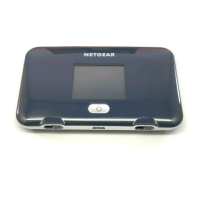
See below for details on everything you will find in the box for your NETGEAR Fuse Mobile Hotspot.
● NETGEAR Fuse Mobile Hotspot
● Battery cover
● Rechargeable battery
● AC charger with type-A USB port
● Micro-USB cable
● Micro-SIM (preinstalled)
● Get Started guide
● Recycling envelope
SSID and Security Key
Before connecting WiFi devices to your NETGEAR Fuse Mobile Hotspot, you will need to confirm the
SSID (network name) and security key (WiFi password).
Introduction 2



 To Next Page