Configure System Information
28
Smart Managed Pro Switches MS510TX and MS510TXPP
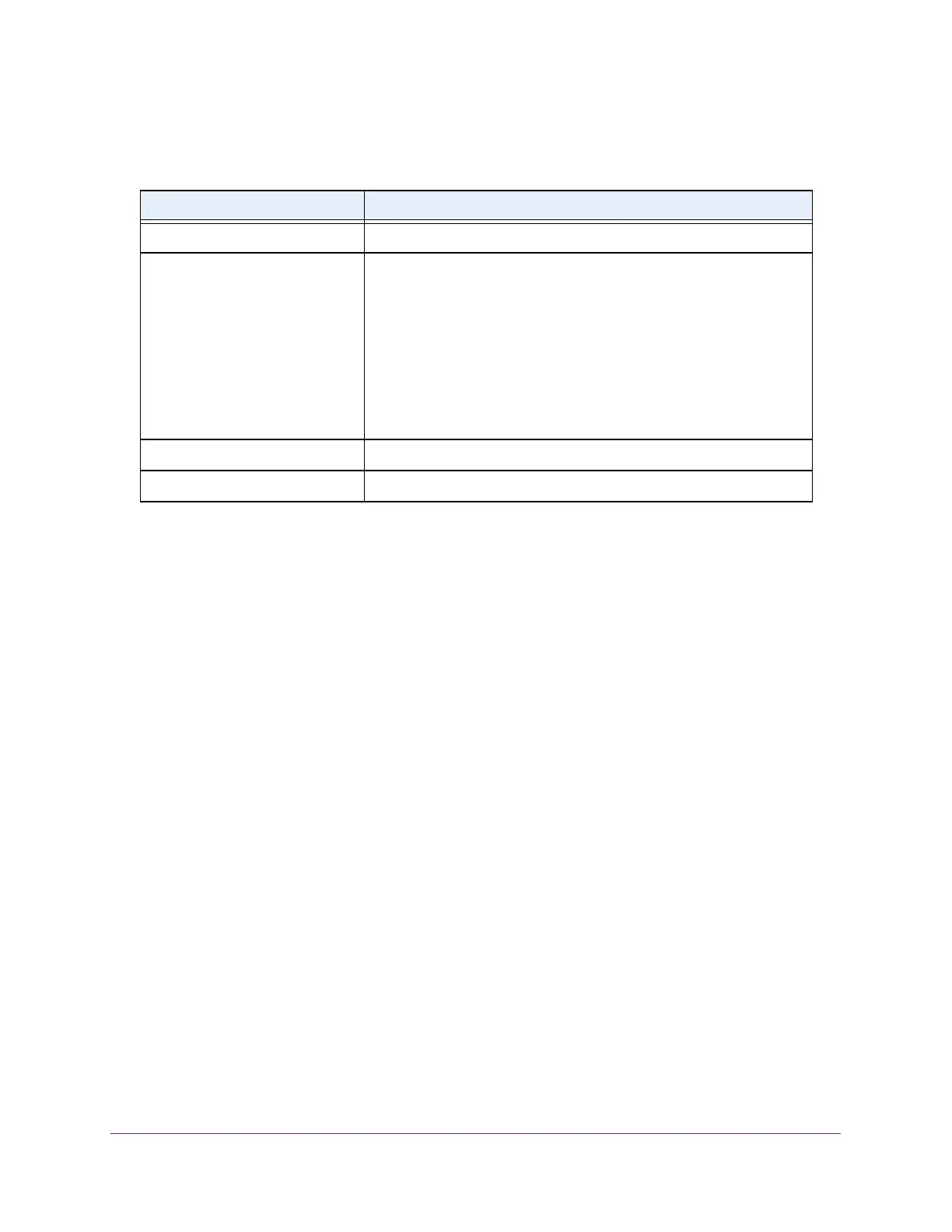
The following table describes the USB Directory Details information.
Configure the IPv4 Address for the Network Interface and
Management VLAN
You can configure network information for the network interface, which is the logical interface
used for in-band connectivity with the switch through any of the switch’s ports. You also use
the IPv4 address of the network interface to connect to the switch through the local browser
interface. The configuration parameters that is associated with the switch’s network interface
do not affect the configuration of the ports through which traffic is switched.
To configure the IPv4 address for the network interface and the management VLAN:
1. Connect your computer to the same network as the switch.
You can use a WiFi or wired connection to connect your computer to the network, or
connect directly to a switch that is off-network using an Ethernet cable.
2. Launch a web browser.
3. In the address field of your web browser, enter the IP address of the switch.
If you do not know the IP address of the switch, see Access the Switch on page 12.
The login window opens.
4. Enter the switch’s password in the Password field.
The default password is password.
The System Information page displays.
5. Select System > Management > IP Configuration.
The IP Configuration page displays.
Table 5. USB Directory Details information
Field Description
File Name The name of the file stored in the USB flash drive.
Type The type of file, which can be one of the following:
• Folder. A subfolder within the file.
Click the folder name to view the contents of the subfolder.
• File. A file.
• Other. A path, which can be one of the following:
- Current path. The full path for the folder that is being displayed.
- Parent folder path. The path for the parent folder of the folder
that is being displayed. You can click the entry and open the
parent folder.
File Size The size, in bytes, of the file stored in the USB flash drive.
Modification Time The last modification time of the file stored in the USB flash drive.








 To Next Page