Configure Switching
89
Smart Managed Pro Switches MS510TX and MS510TXPP
• Ports mg5-mg6. Support the setting of 100 Mbps FD, 1 Gbps FD, and Auto. When
set to Auto, the port advertises 100 Mbps FD, 1000 Mbps FD, and 2.5 Gbps FD.
• Ports mg7-mg8. Support the setting of 100 Mbps full duplex, 1Gbps FD, 2.5Gbps
FD, and Auto. When set to Auto, the port advertises 100 Mbps FD, 1 Gbps FD, 2.5
Gbps FD, and 5 Gbps FD.
• Port xmg9. Supports the setting of 100 Mbps FD, 1 Gbps FD, 2.5 Gbps FD, 5 Gbps
FD, and Auto. When set to Auto, the port advertises 100 Mbps FD, 1 Gbps FD,
2.5 Gbps FD, 5 Gbps FD, and 10 Gbps FD.
• Port xg10. Supports the setting of 1 Gbps FD and Auto.
Note: If you select multiple ports, the available options are determined by the
common capabilities for the selected interfaces.
Note: After you change the speed, the switch might be inaccessible for a
number of seconds while the new settings take effect.
10. Click the Apply button.
Your settings are saved.
The following table describes the nonconfigurable data that is displayed.
Configure Link Aggregation Groups
Link aggregation groups (LAGs), which are also known as port channels, allow you to
combine multiple full-duplex Ethernet links into a single logical link. Network devices treat the
aggregation as if it were a single link, which increases fault tolerance and provides load
sharing. You assign the LAG VLAN membership after you create a LAG. The LAG by default
becomes a member of the default management VLAN (that is, VLAN 1).
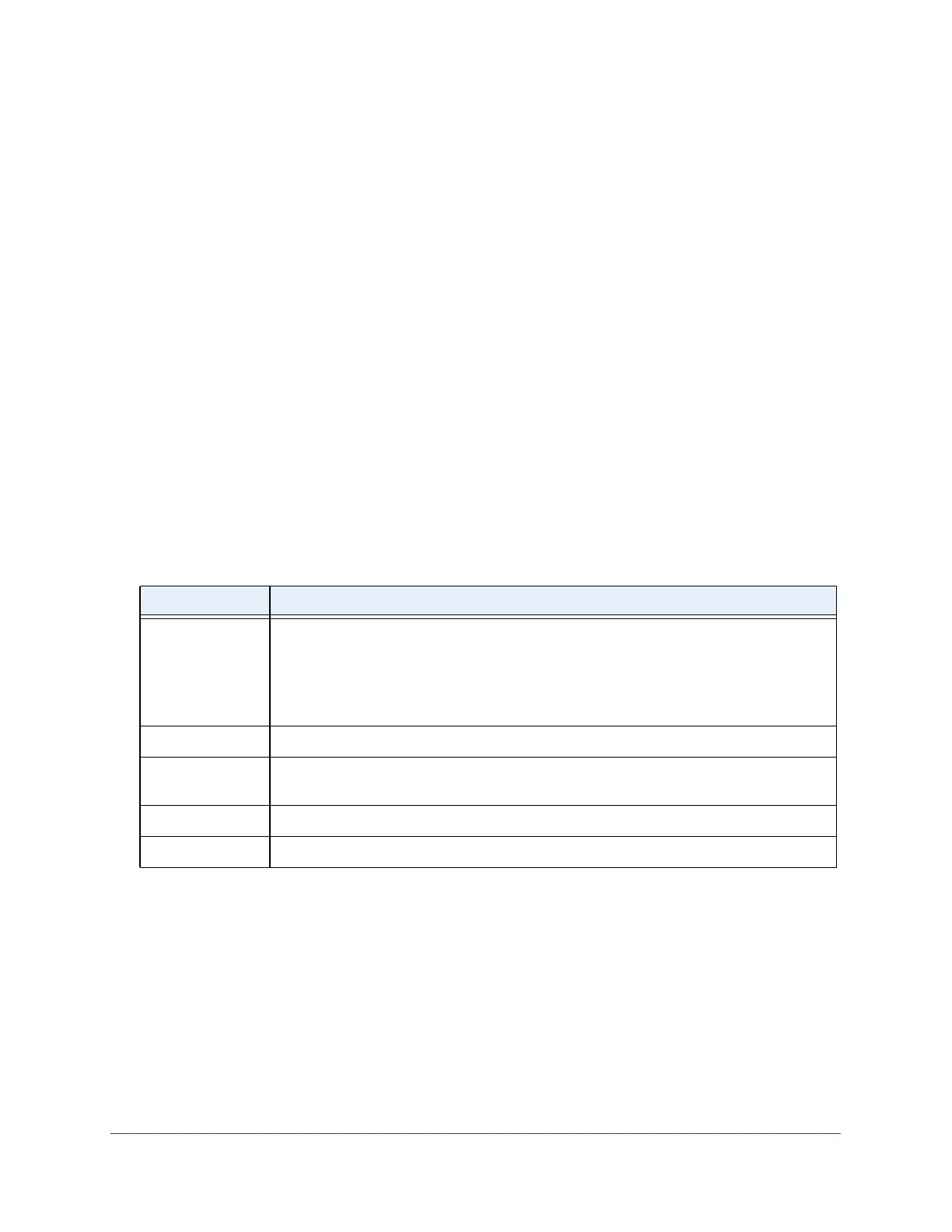
Table 20. Port Configuration information
Field Description
Port Type For normal ports this field is blank. Otherwise, the possible values are as follows:
• Mirrored. The port is a mirrored port on which all the traffic is copied to the probe port.
• Probe. Use this port to monitor a mirrored port.
• LAG. The port is a member of a link aggregation trunk. For more information, see
Configure Link Aggregation Groups on page 89.
Physical Status The port speed and duplex mode.
Link Status Indicates whether the link is up or down. If the link is down because of a of switch action
rather than the configured settings or a physical status, a reason is also provided.
MAC Address The physical address of the specified interface.
ifIndex The ifIndex of the interface table entry associated with this port.








 To Next Page