Configure System Information
41
Smart Managed Pro Switches MS510TX and MS510TXPP
The default password is password.
The System Information page displays.
5. Select System > Management > Time > DayLight Saving Configuration.
The DayLight Saving (DST) Status page displays.
6. To refresh the page, click the Refresh button.
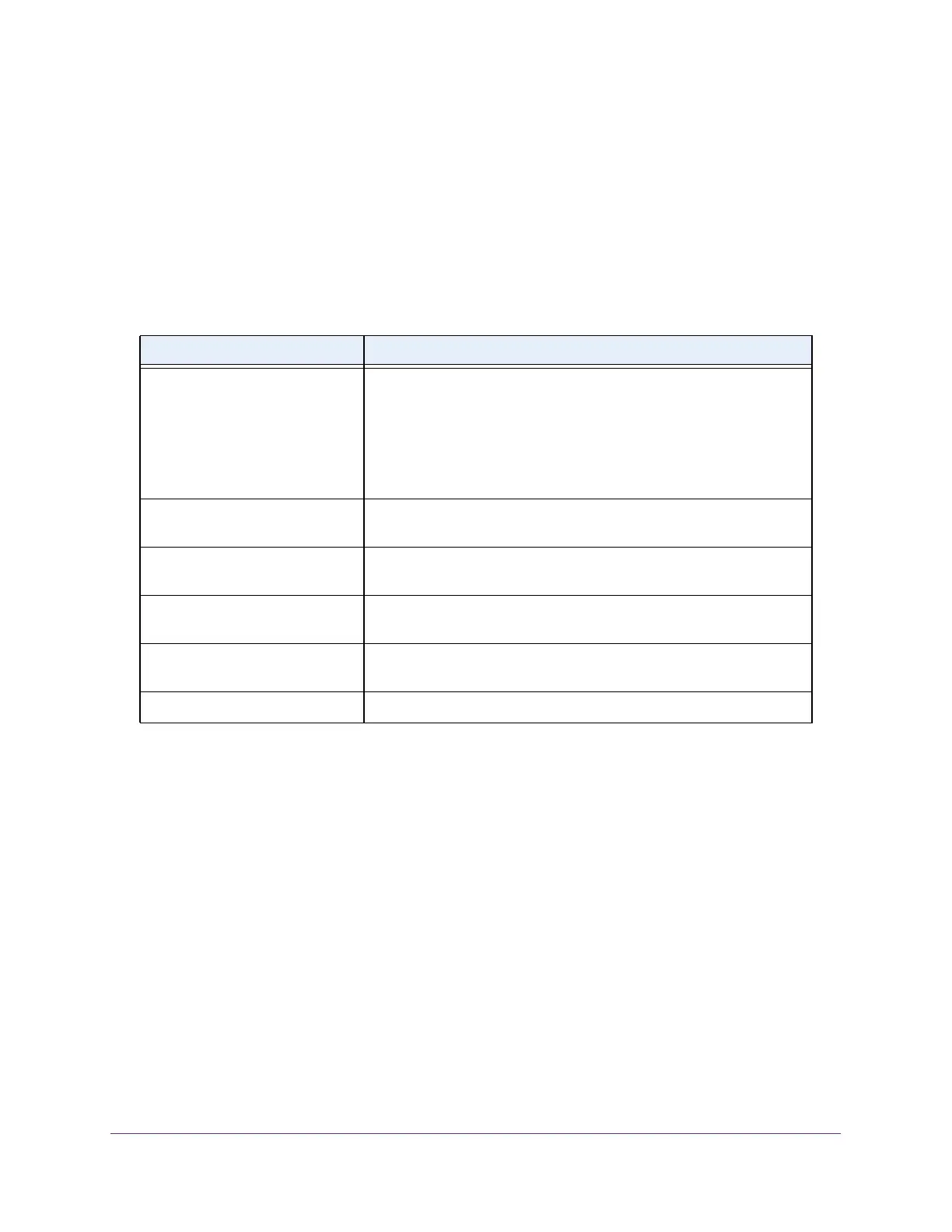
The following table displays the nonconfigurable daylight saving status information.
Configure DNS Settings
Use these pages to configure information about DNS servers that the network uses and how
the switch operates as a DNS client.
Configure Global DNS Settings
Use the DNS Configuration page to configure global DNS settings and DNS server
information.
To configure the global DNS settings:
1. Connect your computer to the same network as the switch.
You can use a WiFi or wired connection to connect your computer to the network, or
connect directly to a switch that is off-network using an Ethernet cable.
2. Launch a web browser.
3. In the address field of your web browser, enter the IP address of the switch.
Table 9. Daylight Saving (DST) Status information
Field Description
DayLight Saving (DST) The Daylight Saving value, which is one of the following:
• Disable
• Recurring
• Recurring EU
• Recurring USA
• Non Recurring
Begins At Displays when the daylight saving time begins. This field is not
displayed when daylight saving time is disabled.
Ends At Displays when the daylight saving time ends. This field is not displayed
when daylight saving time is disabled.
Offset (in Minutes) The offset value in minutes.This field is not displayed when daylight
saving time is disabled.
Zone The zone acronym, if any was specified. This field is not displayed
when daylight saving time is disabled.
Daylight Saving (DST) in Effect Displays whether daylight saving time is in effect.








 To Next Page