MT 48 | 29
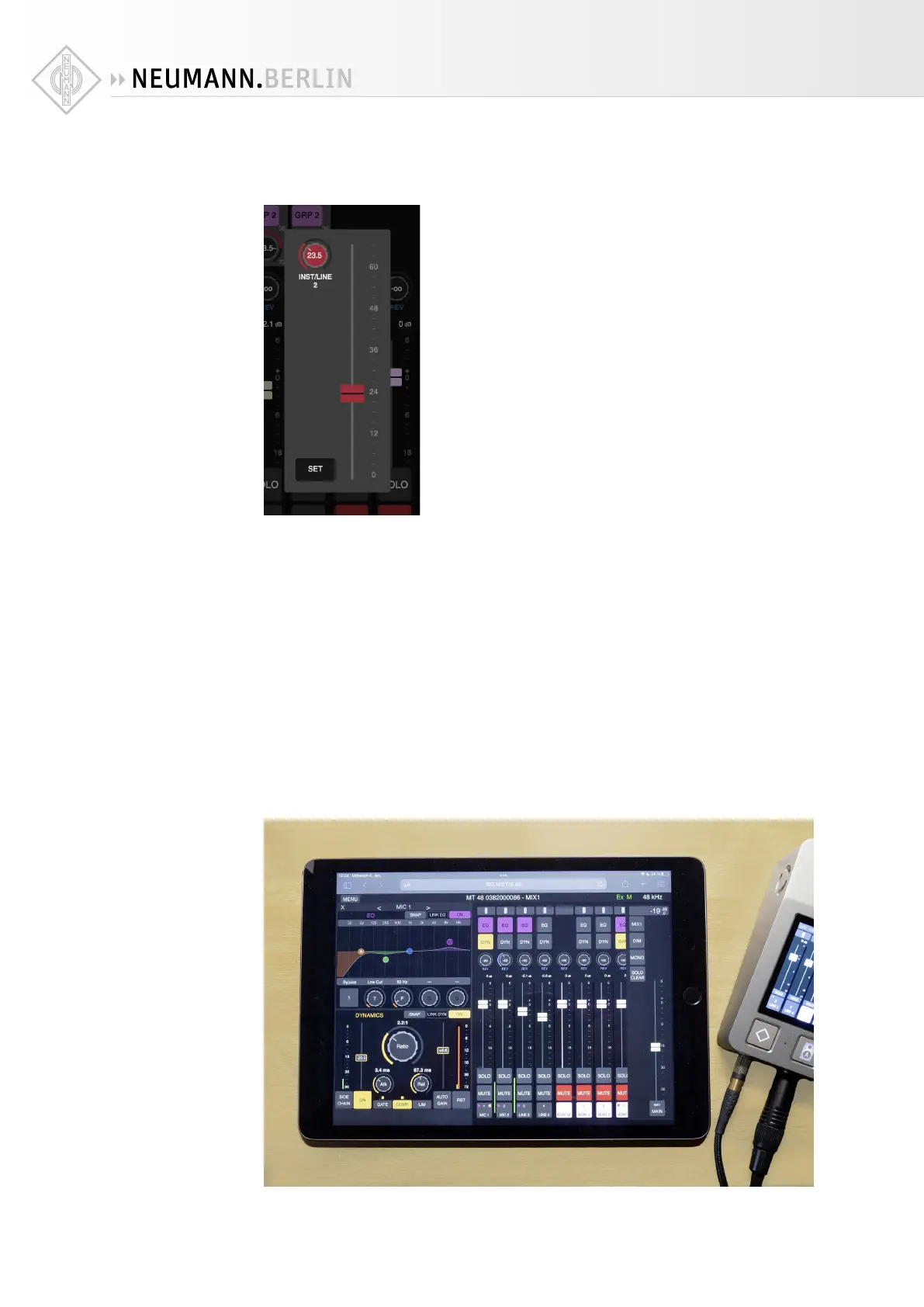
Please note that when you press on a rotary control (e.g. preamp gain or REV level) to change
its value, a panel opens with a slider. This is to facilitate using the Web Control from a touch-
screen device, e.g. a tablet computer.
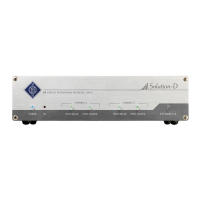
Controlling the MT 48 from your tablet
The Web Control can be used to remote control the MT 48 from another computer. However,
this requires the MT 48 to be part of your home network.
A typical use case would be to remote control mixes from one or more tablet computers so the
artist(s) can adjust their own monitor mix.
To accomplish this, connect the MT 48’s AES67 port to your WiFi router via a CAT5 or CAT6
ethernet cable. If that’s not possible, you can also connect the MT 48 to a WiFi extender that
has an ethernet port.
To find out the web address of your MT 48, go to the MT 48 AGENT, i.e. the Neumann logo in
the menu bar/taskbar of your computer and select OPEN WEB CONTROL. Please note that you
must deactivate WiFi on your computer as you are already connected to your home network
via the MT 48. The web address in your browser window will work on any web device within
your network.


 To Next Page