4VAL Operating & Maintenance Manual Version 1.1 © Newman Labelling Systems Ltd Page 32 of 56
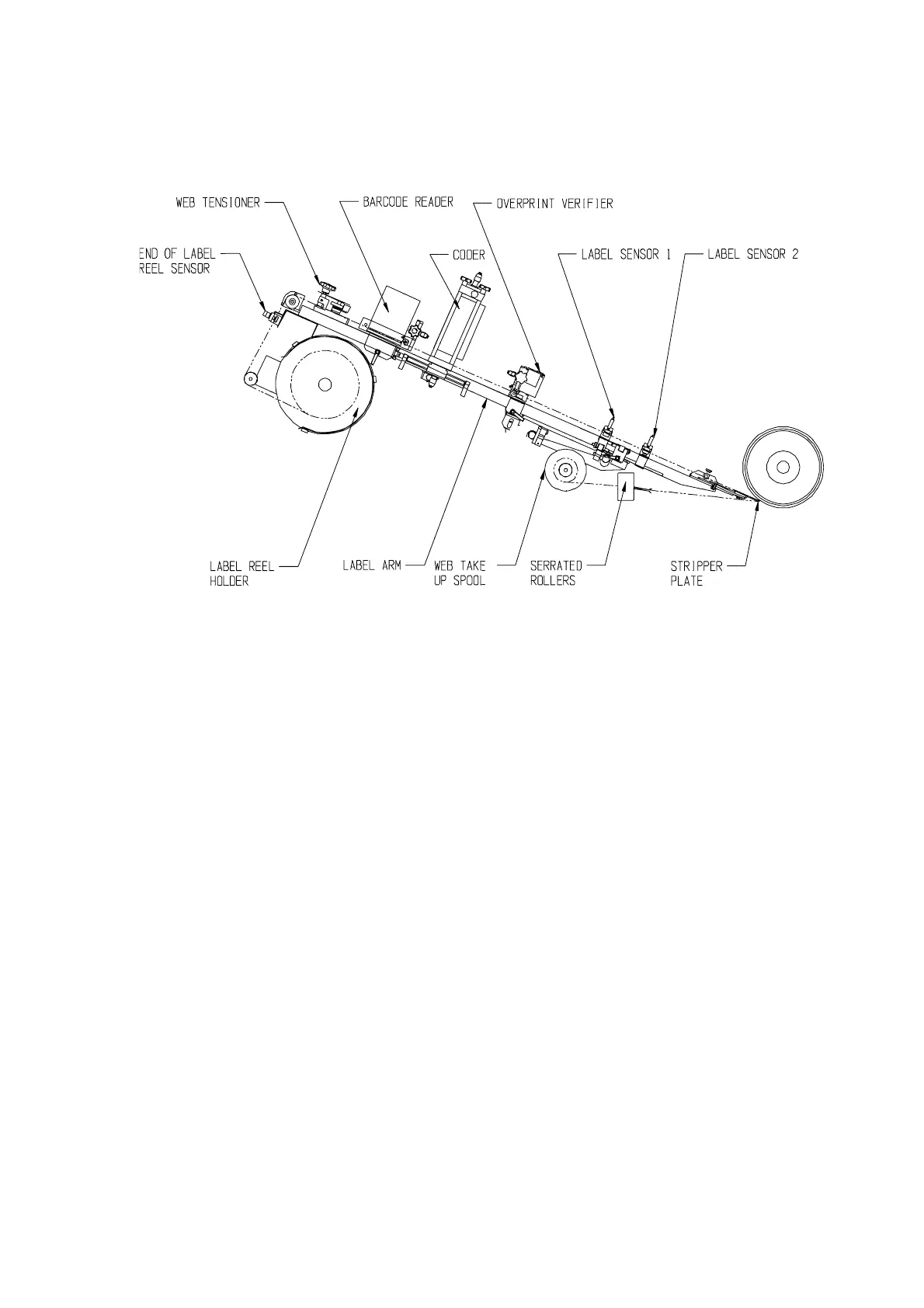
LAYOUT OF LABEL FEED (29917a)
Prevent containers from reaching the product sensor, switch on the machine and press
F4 to jog a label (one for each press). Feed the free end of the label web into the label
feed rollers (these start rotating when F4 is pressed). As the rollers grip the web, it
will be pulled through until the next label gap reaches the label sensor(s) when the
rollers should stop. If feed does not stop, press motor stop button immediately and re-
check label sensor settings. Further operations of the F4 jog button may be necessary
to bring a label to the application point and provide sufficient waste web to be fed into
the take-up spool. Adjust label sensor(s) position(s) so the labels protrude by 2 - 4 mm
beyond the front of the stripper plate when stopped. Loop free end of web around
take-up spool and wind in slack.
Follow set up procedures for coder, overprint sensor and bar code scanner (if fitted).
Enable the product sensor if previously disabled and check its positional setting.
Turn key-switch to “RUN”, place a few containers at the infeed and label them.
Check the height of the labels. . If necessary, adjust by turning the LABEL HEIGHT
hexagonal nut with the special spanner provided.
The machine is now ready to run.



 To Next Page