4VAL Operating & Maintenance Manual Version 1.1 © Newman Labelling Systems Ltd Page 39 of 56
Sensitivity Adjustment
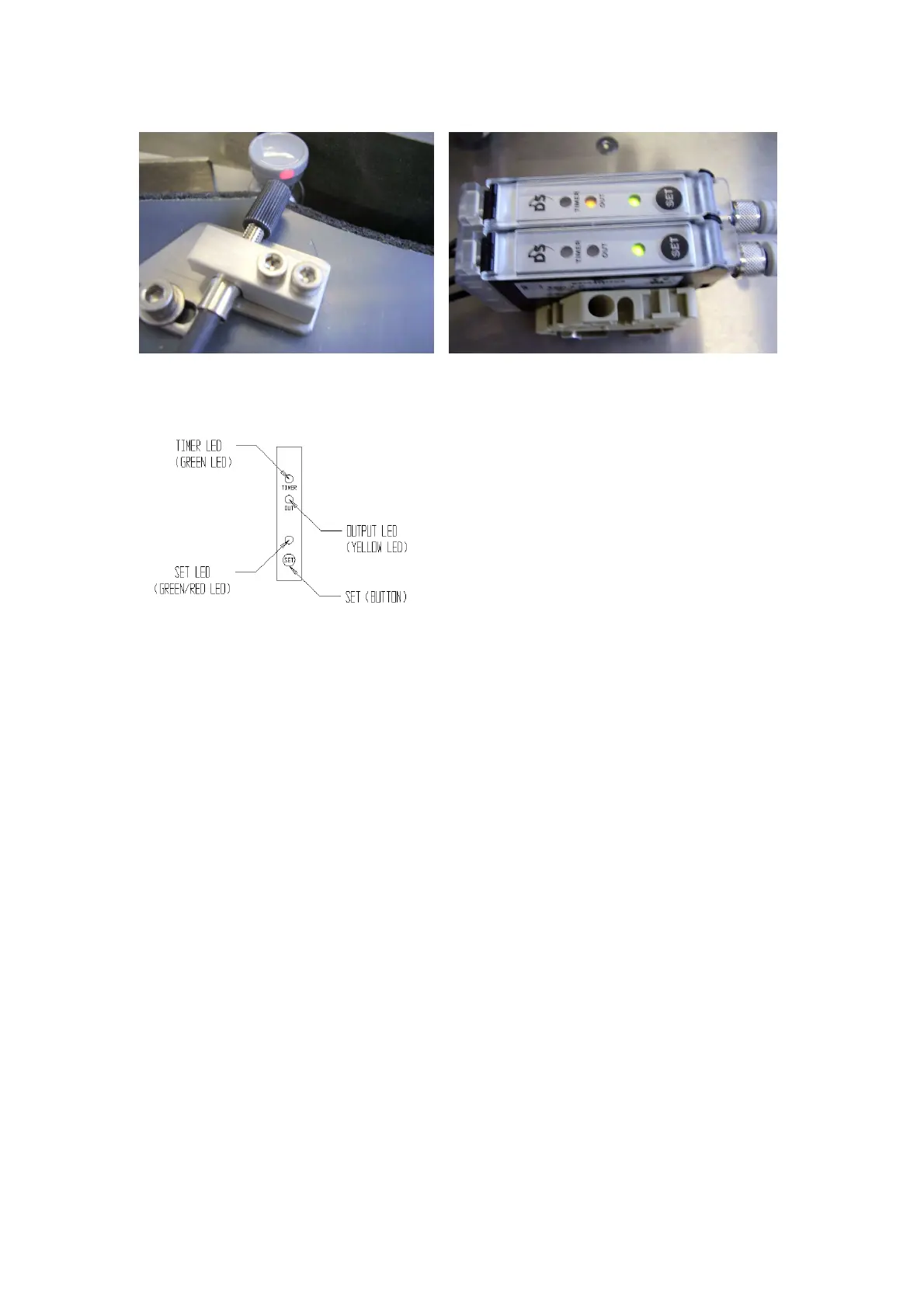
• Background - Rotate the applicator drum by hand so the sensor fibre optic
head is only ‘seeing’ the applicator drum background and not a container.
Press the “SET” button ONCE. After a short time the ‘set’ LED should be
flashing AMBER.
• Container - Rotate the drum by hand so that a container moves in front of the
sensor head. Press the “SET” button ONCE After a short time the ‘set’ LED
should be flashing GREEN.
• Background - Rotate the applicator drum by hand so the sensor fibre optic
head is only ‘seeing’ the applicator drum background and not a container.
Press the “SET” button ONCE. After approximately three (3) seconds, the
‘set’ LED should become constantly GREEN.
• The sensor should now be set correctly. If a steady green LED is not achieved,
then adjust fibre optic lead position to achieve a more consistent reading from
the container and repeat the above procedure.
Note: - TAKE CARE WHEN HANDLING! Do not bend the fibre optic leads with a
radius of less than 50 mm otherwise they may be irreparably damaged.
The sensor may sometimes be affected by local ambient light, making it hard or
impossible to set. If this happens either remove the light source or shield the sensor.



 To Next Page