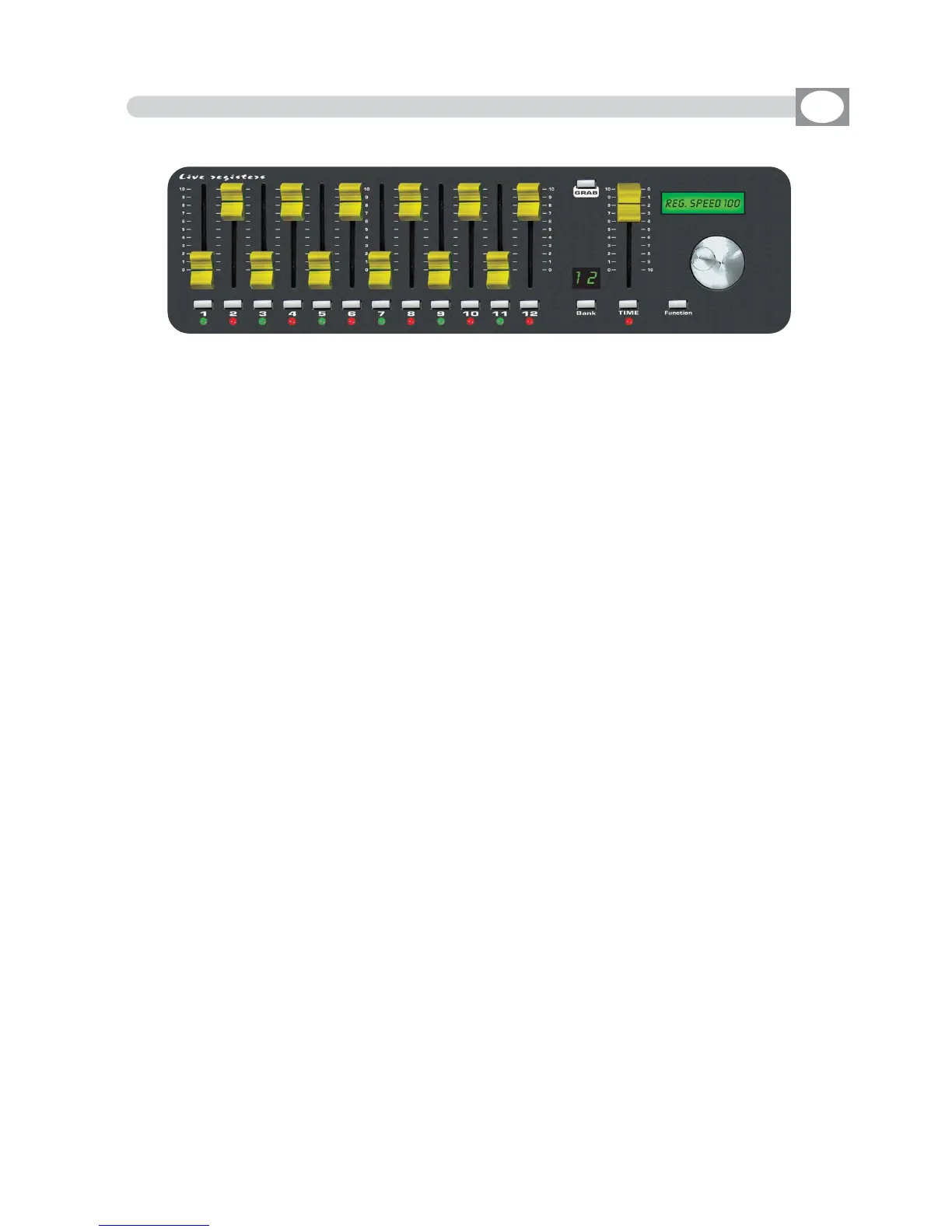
8.7 REGISTRER SECTION
GB
12 faders: controls the live playback registers.
Mode:
Once, Solo e Once + Solo
(see par
88..44
)
12 keys: perform direct registers functions.
Mode:
Go-Pause, Flash 100%, Flash Go e Tap Key
(see par
88..44
)
12 bicolor led : Shows the register status.
Green Switched on: Register in play
Green Blinking: Register in pause
Red Switched on: Register in play in other page
Red Blinking: Register in pause in other page
TIME fader: to control stepping in real time.
Press TIME key then the register you wants to perform in step mode. Use the fader from 0
to 100% and viceversa to change the step in real time.
Keep the register fader to 100%
Press TIME key to go out of the functionn.
GRAB key: grab the active scene (bakground) into a register.
Press GRAB key then the register you wants to store the scene
BANK key: to select registers page max 12
Press
BBaannkk
key then the register 1÷12 key to cange page
Press twice
BBaannkk
key to go in the next page
Led display: visualize registers active page.
Lcd: visualizes registers job mode.
FUNCTION key: to set lcd functions
Press Function key then
AA
or
BB
key to cange
XXFFAADDEE TTIIMMEE
of manual preset
Press Function key then
RReeggiisstteerr
1/12 key to cange
RREEGG SSPPEEEEDD
of single register
Press Function key then
RReeggiisstteerr
1/12 key
aanndd hhoollddiinngg tthhee RReeggiisstteerr kkeeyy,, sseelleecctt ootthheerr rreeggii--
sstteerr
to cange
RREEGG SSPPEEEEDD
of those register
Press twice Function key to cange in
MMAAIINN SSPPEEEEDD
Encoder: to set lcd values.
THE REGISTER SECTION IS THE “HEART” OF MATRIX LIVE.



 To Next Page