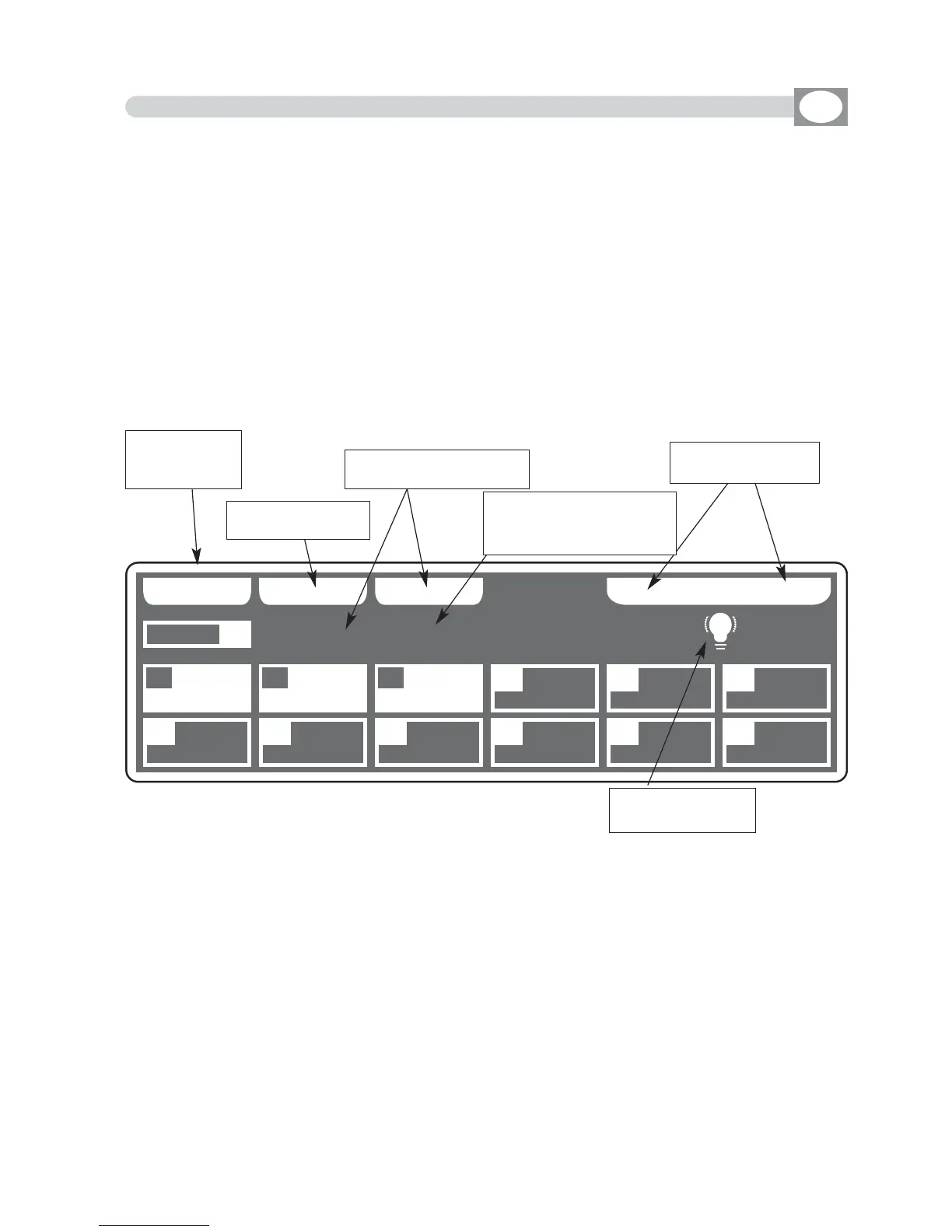
10.3 MENU: LAMP ON - LAMP OFF
---------------------------------------------------------------------------------------------------------------------
AVAILABLE ONLY AFTER THE ACTIVATION OF THE MENU FUNCTIONS (see par.10.1)
---------------------------------------------------------------------------------------------------------------------
ALLOWS TO TURN ON / TURN OFF THE LAMP OF ONE OR MORE UNIT.
(only if the selected unit are predisposed for this function).
NOTE: If the lamp is “discharge” type and it is still hot, before its lighting you will
need to wait that it gets cold.
The display changes as shown in
(Fig. 47).
At the activation of the function the units are all selected.
Press one of the 1÷12 keys to select the unit.
For successive unit use the
PPAAGGEE
key
ALL
key
:
Press this key to select all the
unit
from 1 to 48.
SOLO
key
:
Press this key to select only the unit shown in the box
UUNNIITT
, if we have selected
with the
AALLLL
key all the
4488
unit, and we wants to selectd only the unit (es. n°
0022
)
,,
press twice the key
0022
of unit selection. The unit box will indicate
UUNNIITT 0022
now
the
SOLO
key unselect all the other unit, activating
SOLO
the
UUNNIITT 0022
OFF - ON
keys
:
Pressing one of these two keys will be turn on/turn off the lamp of the selected unit.
To get out of the function press the
EESSCC
key.
GB
BB AA CC KK AA LLLL SS OO LLOO
** ** 00 33 UUNN II TT SS ** **
RROOBBOOCCOOLL II
MMAARR
UUNNIITT
0011
0011 0022 0033 0044 0055 0066
0077 0088 0099 1100 1111 1122
OO FF FF LL AA MM PP OO NN
XXMM11220000 3300
DDTTSS CCPP
SSUUPPEERR SSCCAA
Fig. 47
Appears at the
imparted command
Key for select only the
unit shown on
UUNNIITT
Shows name of the unit,
if are more of one it
Shows “
NNNN UUNNIITTSS””
Key for turn on/off
the lamp
Return to the
precedent
function
Key for select all
the unit



 To Next Page