UUNNIITT
LLOO AA DDBB AA CC KK
CCPP
GGIIOOTTTTOO WW.. SSUUPPEERR SSCCAA
SSGGMM
0044
0022
RROOBBOOCCOOLL II
MMAARR
0011 00440033 0055 0066
0077 0088 0099 1100 1111 1122
AA BB SS CC LL UU BB CC OO LL OO RR
AA
÷
ZZ
10.9 LOAD LIBRARY IN EDIT DMX PATCH MODE
10.10 FUNCTION KEYS IN LOAD LIBRARY MODE
GB
Press the
LOAD
key to load setup from library (Fig. 52).
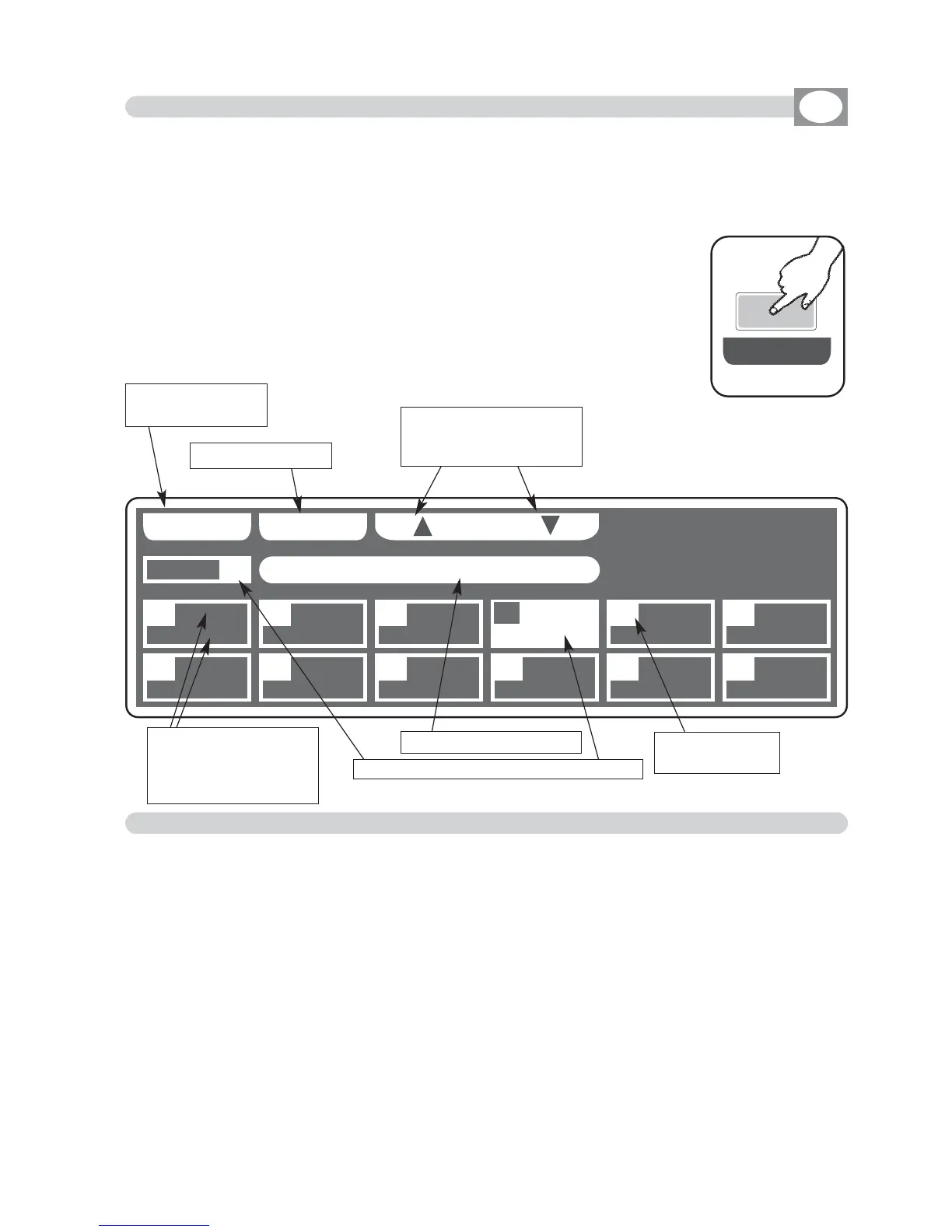
The display changes as shown in (Fig. 53).
The display shows the first unit in the library
ALLOWS TO LOAD A COMPLETE SETUP FROM LIBRARY AND STORE IT IN MEMORY.
Fig. 52
LLOO AA DD
Fig. 53
Key to confirm
Keys to search in alpha-
betical sequence inside
of the memory
Shows name of the unit
Indicate the
number of unit
Shows short name of
the unit previously loa-
ded from internal
library see par.
10.6
Shows where will come loaded the unit
---------------------------------------------------------------------------------------------------------------------
AVAILABLE ONLY AFTER THE ACTIVATION OF THE MENU FUNCTIONS (see par.10.7)
---------------------------------------------------------------------------------------------------------------------
In
LOAD LIBRARY
mode there are 3
ffuunnccttiioonn kkeeyyss
see
(Fig. 53)
A
÷
Z
Key
:
Press this key to search in alphabetical sequence inside of the memory, when
youn arrive at the initial letter of the firm, you can search through the encoder
in fine way. For a rapid search could be used also the faders under
LOAD
write
LOAD
Key
:
Press this key to load the select unit in the box
highlighted
.
To get out of the function press the
EESSCC
key
.
Return to the pre-
cedent function



 To Next Page