Through the 1÷12 keys select the number of the channel to modify see (Fig. 56 par
1100..1111
).
For the successive
channels
use
PPAAGGEE
key
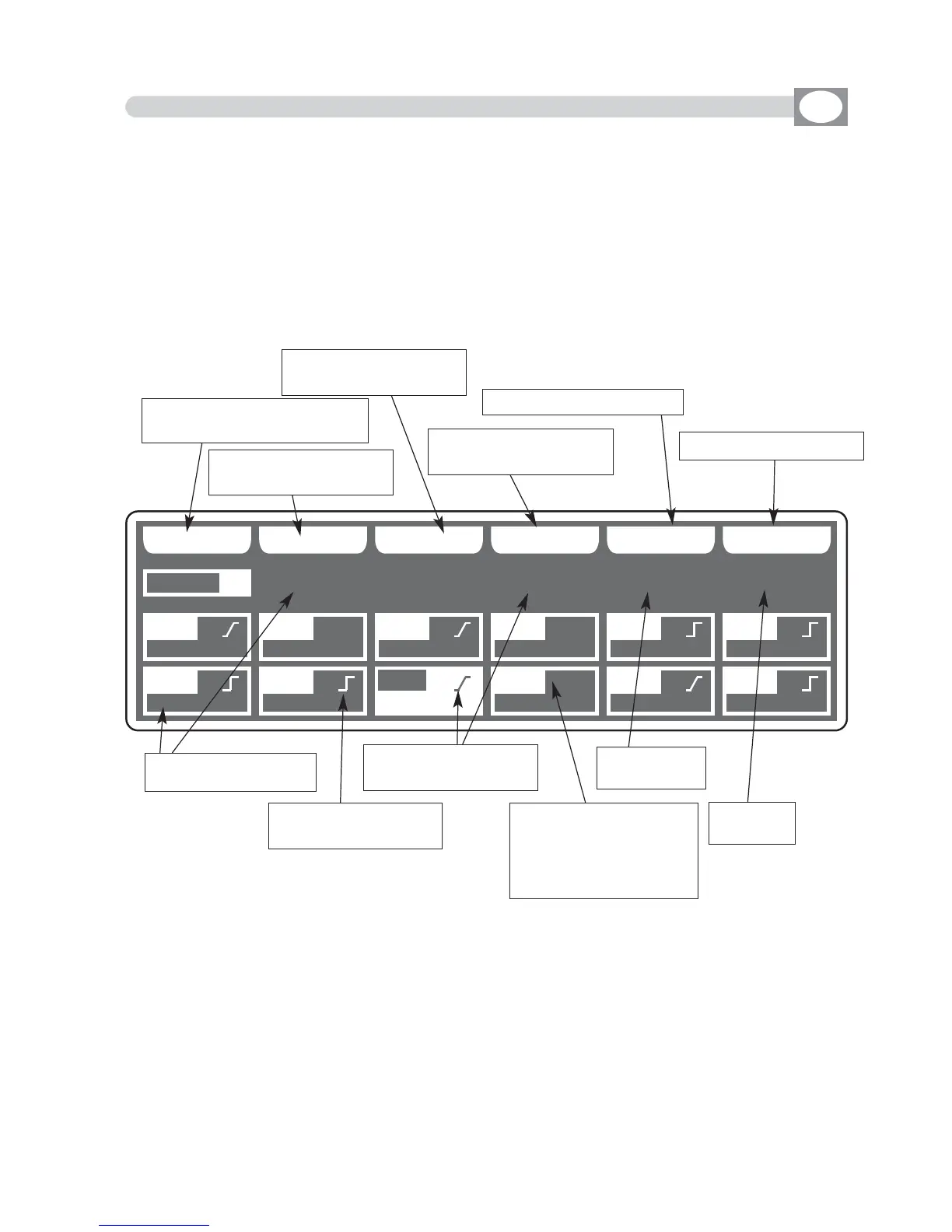
The selected channel will come highlighted the display changes as shown in (Fig. 57).
To use
Function Keys
see par
1100..1133
The controller uses these special channels for predefined functions, you must use them for
the specific functions assigned to them.
NOT USED -> Not used channel.
PAN -> Pan channel (SOFT CROSS/HARD CROSS).
PAN LOW -> Pan channel LOW.
TILT -> Tilt channel (SOFT CROSS/HARD CROSS).
TILT LOW -> Tilt channel LOW.
LAMP -> Lamp control channel.
LAMP/RES -> Like LAMP.
UUNNIITT
NN AA MM EE
SS OO FF TT XX
HH AA RR DD
XX
BB LL KK OO UU TT
RR EE SS EE TTBB AA CC KK
0022
DD II MM MM EE RR 00 00 00
SSOOFFTT
CCRROOSSSS
== == ==
PPAANN
CCHH0011
PPAANN LLOOWW
CCHH0022
TTIILLTT
CCHH0033
TTIILLTT LLOOWW
CCHH0044
CCOOLLOOUURR
CCHH0055
CCYYAANN
CCHH0066
MMAAGGEENNTTAA
CCHH0077
YYEELLLLOOWW
CCHH0088
DDIIMMMMEERR
BB
BB BB
CCHH0099
SSHHUUTT//SSTTRR
CCHH1100
ZZOOOOMM
CCHH1111
MM--SSPPEEEEDD
CCHH1122
Fig. 57
Shows the
blackout value
Shows the
reset value
Shows name of the
channel
Shows that the channel
is hard cross
Shows that the channel
is soft cross
Shows that the channel
have a blackout value
with
BB..
a reset value
with
RR..
a blackout and
reset value with
BBRR..
Key to modify the name
of the channel
Key to set the channel
like soft cross
Key to set the channel
like hard cross
Key to set a blackout value
Key to set a reset value
Key to return to the precedent
function see par 10.11
10.12 EDIT OF DMX CHANNELS
GB
---------------------------------------------------------------------------------------------------------------------
AVAILABLE ONLY AFTER THE ACTIVATION OF THE MENU FUNCTIONS (see par.10.11)
---------------------------------------------------------------------------------------------------------------------



 To Next Page