15
Digitax SF Instruction Manual
Tuning
7
7. Tuning
2. Tuning Procedure
2. Tuning Procedure
x1
Y
N
Stage2
Y
N
ParameterSavingMode
② InertiaRatio
x1 (pressonce)
・Intheparametersavingmode,savetheparameters
toEEPROMinthedrive.
・Ifyoushutdownthedrivewithoutsavingtheparameters, the
settingchangeswillnottakeeffect.
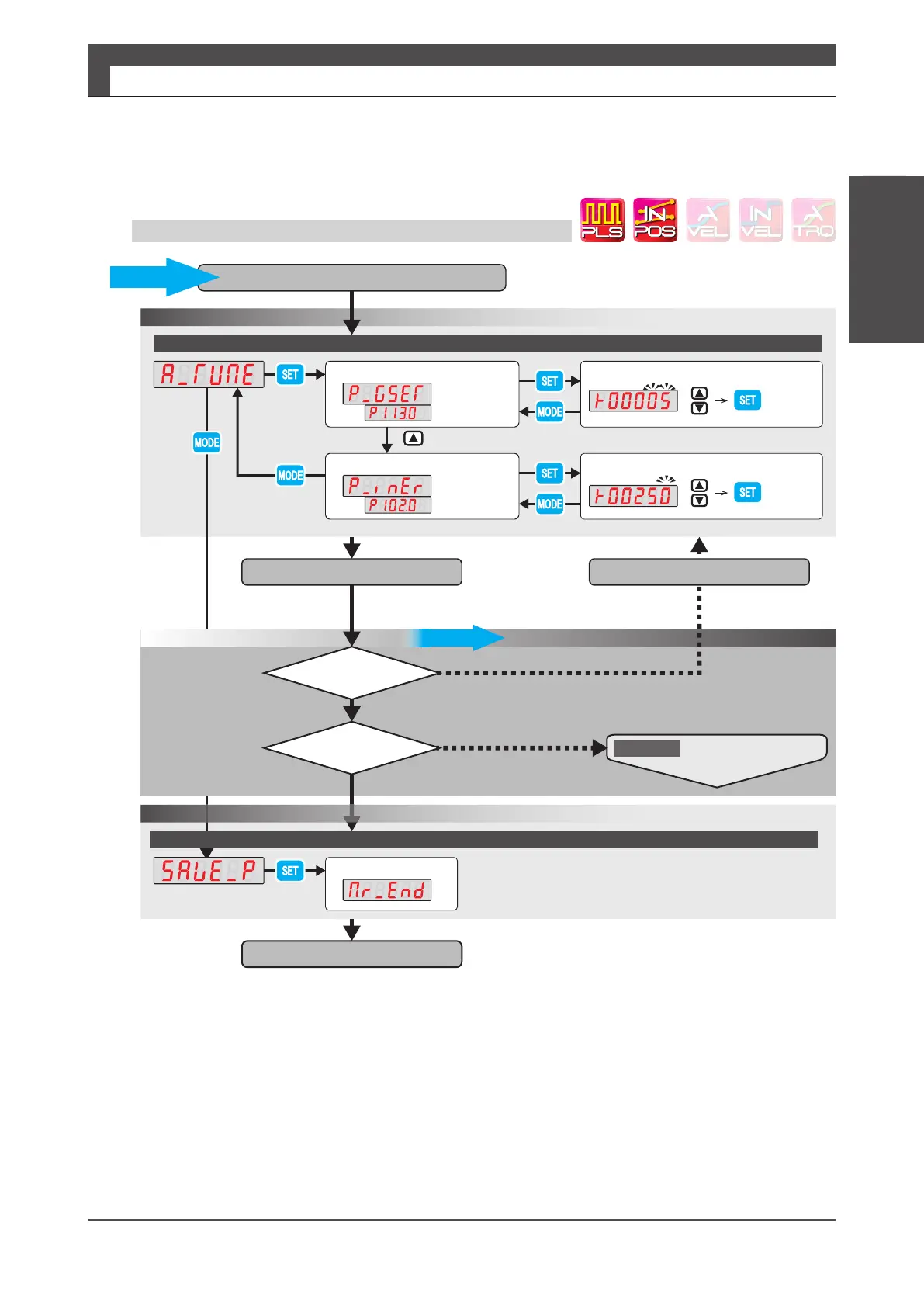
① ControlGainSet
Operation1A
Change
AutoTuningMode
・Nonoise?
Setthevalueto5
Entertheinertiaratio
Tuningcomplete
Change
Manuallyentertheinertiaratio.
(Thisisasampleimage:theinertiaratiois250.)
Acceptablemotion?
Finaltuning
Visuallycheck
themotionetc.
Confirm
Confirm
Lettheequipmentsystemmove.
Isthemotorquiet?
・Shortersettlingtime
・Betterresponsiveness
・Less/novibration
Ifyouneedtoimprovetheresponsefurther,graduallyincrease
thecontrolgainsetwithintherangewherethemotorwillnotmakenoise
andperformtuningeachtime.
Savingcomplete
・Checkthemotormotionbytestoperation
orexternalcommandinput.
・Repeatthesystementiremotionseveraltimes.
Thefollowingisdesired:
Changetheinertiaratio.
Operation2
Quick Tuning on Setup Panel: Operation 1A






 To Next Page