Safety information Product information Mechanical installation Electrical installation Multi axis system design Technical data
Digitax HD M75X Series Installation and Technical Guide 19
Issue Number: 5
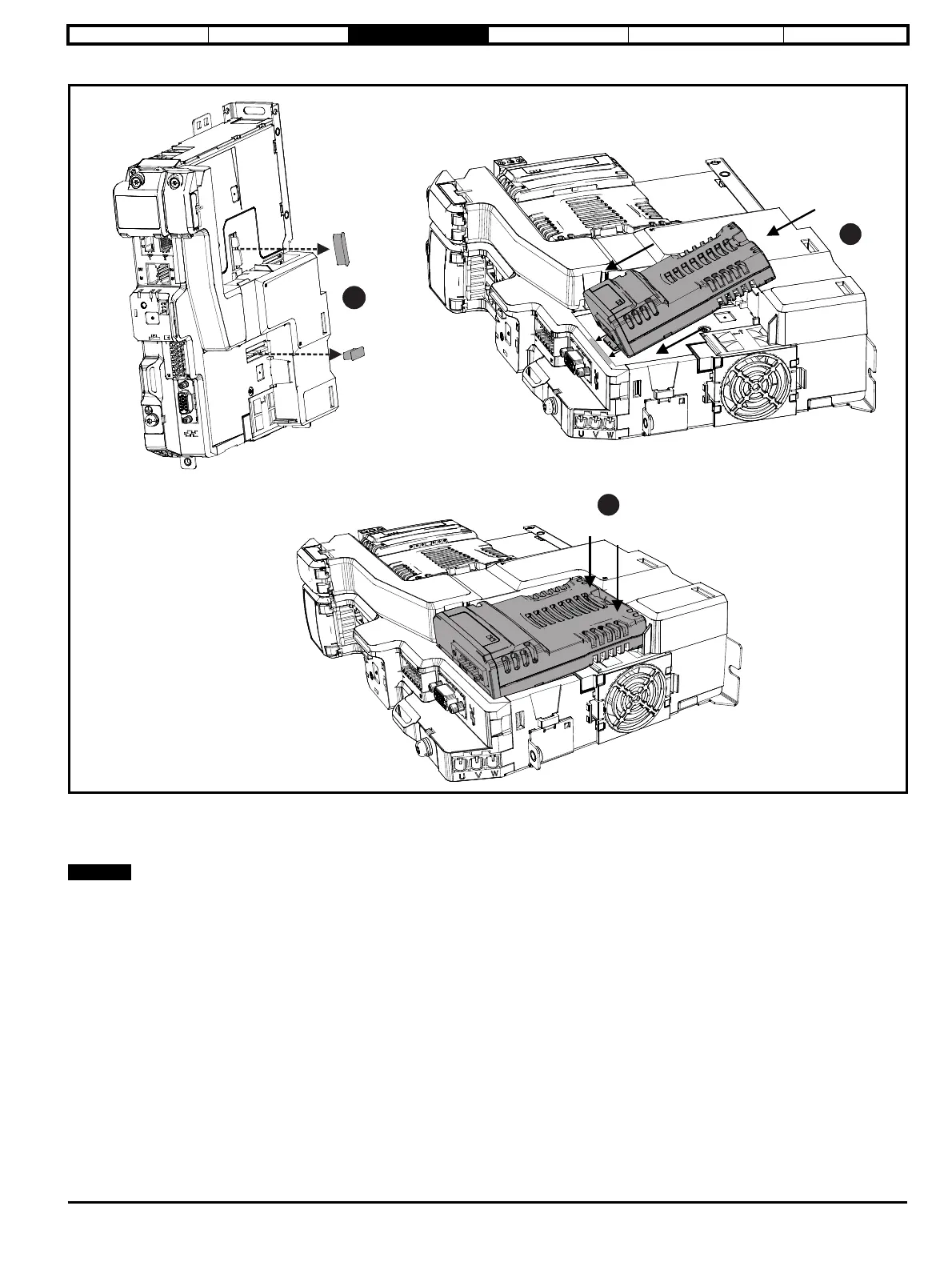
Figure 3-4 SI Option module installation
1. Remove the protective interface card cover.
2. Align and insert the option module tab into the slot on the drive plastic.
3. Once the option module tab is located into the slot on the drive, push down at the rear of the option module until it clicks into place.
Once fitted, the SI option module remains at an angle with respect to the drive.














 To Next Page