Safety information Product information Mechanical installation Electrical installation Multi axis system design Technical data
20 Digitax HD M75X Series Installation and Technical Guide
Issue Number: 5
3.4 KI-Compact Display installation
The Digitax HD M75X display provides the following features:
• Displays drive status information.
• Allows the drive node address to be set via dials on the front of the display.
• A push button to reset drive trips.
The KI-Compact Display can be installed/removed while the drive is powered. A delay of 10 seconds should be maintained following power up or
following a node address dial adjustment before the KI-Compact Display can be removed from the drive, to ensure correct transfer of node address
data.
lf not already fitted, the display can be ordered from the supplier of the drive. Refer to section 2.8 Installation and system accessories on page 14.
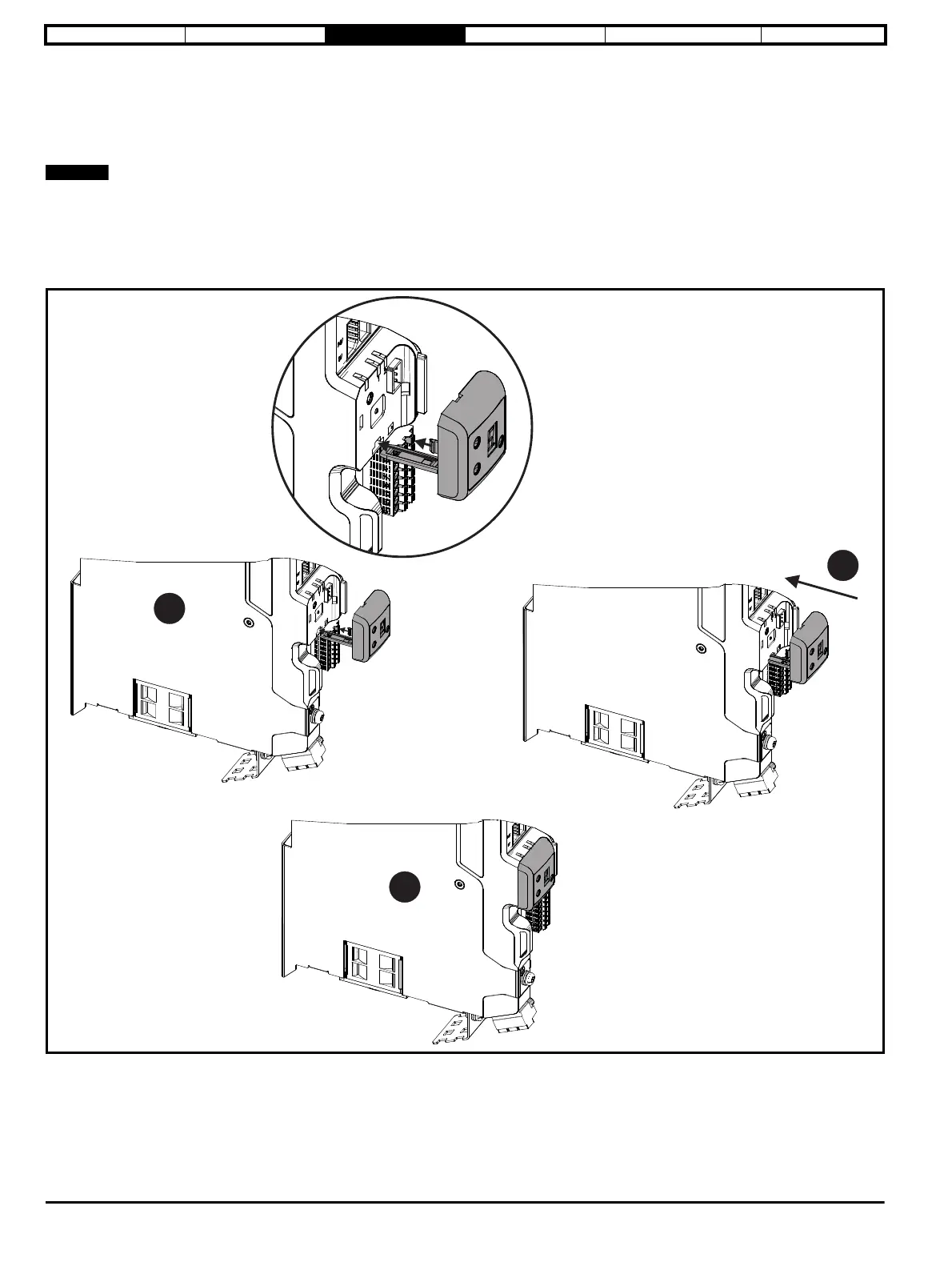
Figure 3-5 Installing the display
1. Align display tether with slot (the tether keeps the display associated to the drive).
2. Slide the display and tether in the direction shown.
3. Push display until it clicks into position.














 To Next Page