Safety information Product information Mechanical installation Electrical installation Multi axis system design Technical data
22 Digitax HD M75X Series Installation and Technical Guide
Issue Number: 5
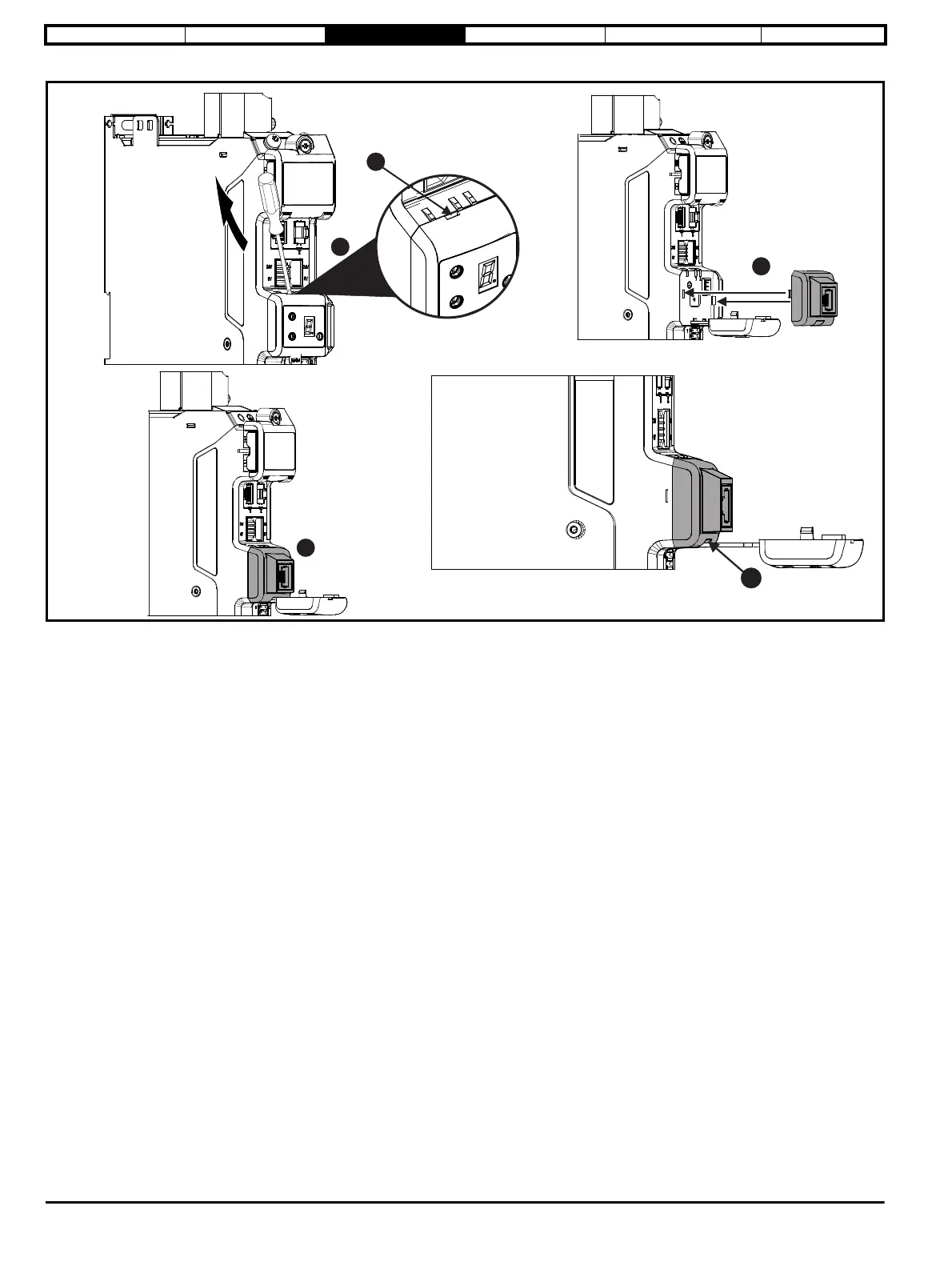
Figure 3-8 Installing the KI-Remote Keypad Adaptor with KI-Compact Display fitted
1. Unclip and pull the display away from the front cover. The tether keeps the display associated to the drive and should not be removed. A small terminal
screwdriver maybe required to unclip the display. A slot in the drive plastic is provided for this purpose (A).
2. Align the Remote Keypad Adaptor with the display housing noting the position of the notch (See view B above). Install the Remote Keypad Adaptor over the
display tether.
3. Push the Remote Keypad Adaptor into the housing until it clicks into place.














 To Next Page