Safety information Product information Mechanical installation Electrical installation Multi axis system design Technical data
Digitax HD M75X Series Installation and Technical Guide 29
Issue Number: 5
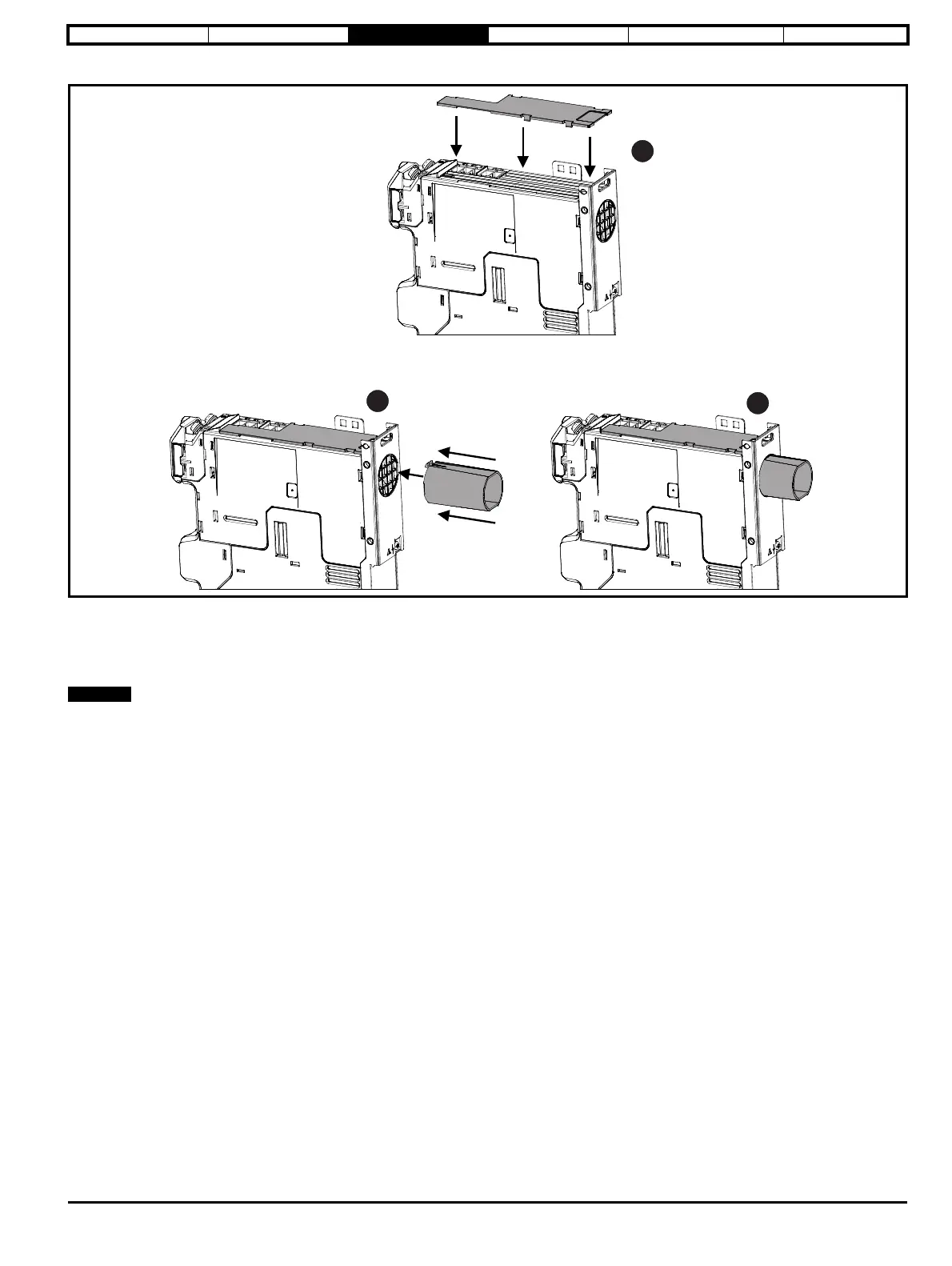
Figure 3-16 Installation of rear vent kit (frame 1 shown)
1. Attach the rear vent top cover to the top of the drive.
2. Align the rear duct tube with the exhaust port; ensure the retaining clips on the tube are vertically aligned. Refer to section 3.6.1 Drive dimensions
on page 23 for duct through hole sizing.
3. Click the duct tube into position on the exhaust port.
The rear duct tube can be cut to length as required.














 To Next Page