EasyManua.ls Logo

Nikon COOLPIX P340 - Playback Mode

Nikon COOLPIX P340
292 pages
Print Icon
To Next Page IconTo Next Page
To Previous Page IconTo Previous Page
Loading...
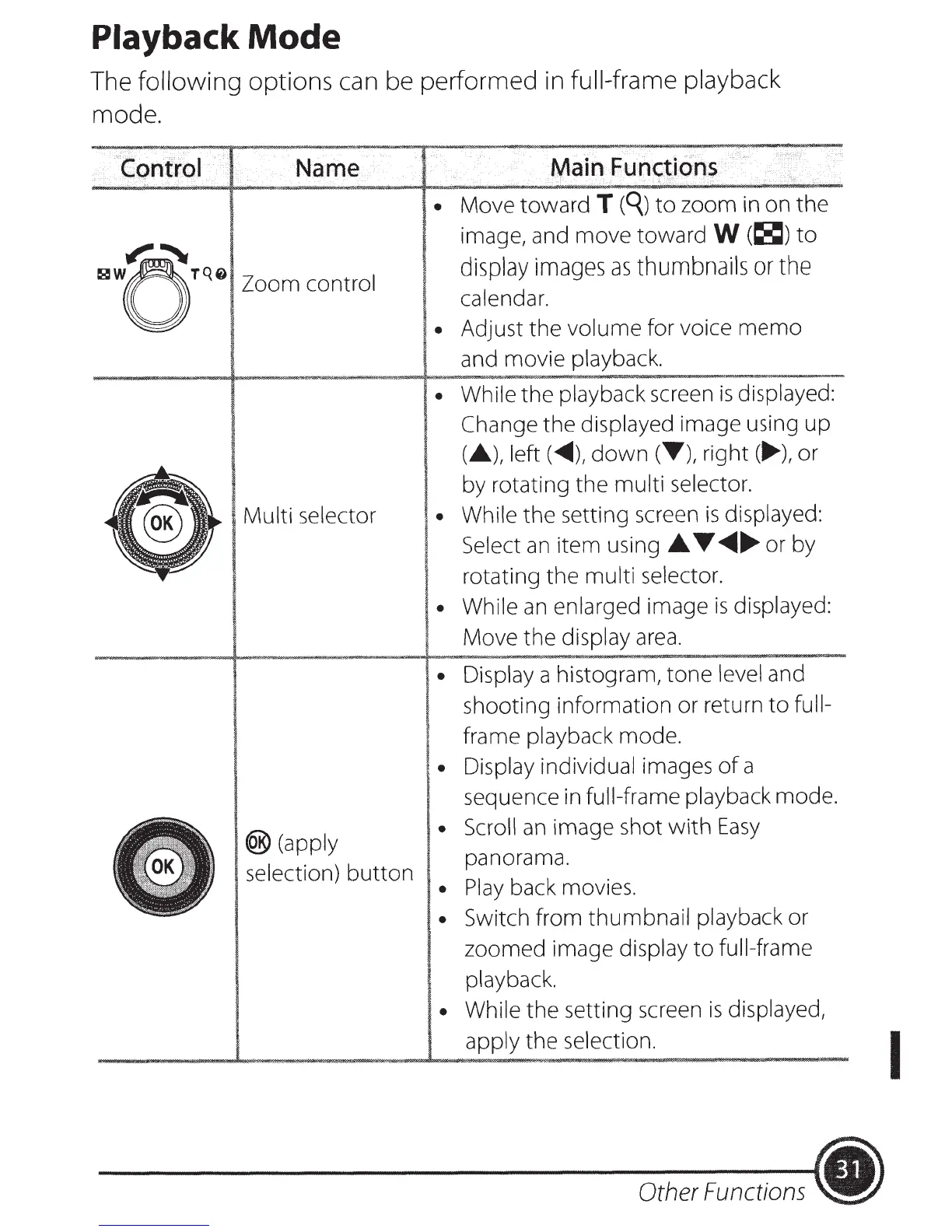
Playback
Mode
The following
options can be performed in full-frame playback
mode.
·
control
·
Name
~~
~WoTQ0
0
Zoom control
Multi
selector
®(apply
selection)
button
Main
Functiohs
Move toward
T
(q)
to
zoom in on the
image, and move toward
W
(~)
to
display
images
as
thumbnails
or
the
calendar.
Adjust the volume for voice
memo
and movie playback.
While
the
playback screen
is
displayed:
Change
the displayed image using
up
(.A.),
left(.,...),
down
(T),
right(
.....
),
or
by rotating
the
multi
selector.
While
the setting screen
is
displayed:
Select
an
item using
.A.
T
..........
or by
rotating the
multi selector.
While
an
enlarged image
is
displayed:
Move the display
area
.
Display a histogram,
tone
level
and
shooting information or return
to
full-
frame playback mode.
Display individual images
of
a
sequence in
full-frame
playback
mode
.
Scroll
an
image shot
with
Easy
panorama.
Play
back movies.
Switch from thumbnail playback or
zoomed image display
to
full-frame
playback.
While the setting screen
is
displayed,
apply
the selection.
Other Functions
.)
I

Table of Contents