103
I
❚❚ Select Date: Deleting Photographs Taken on a Selected Date
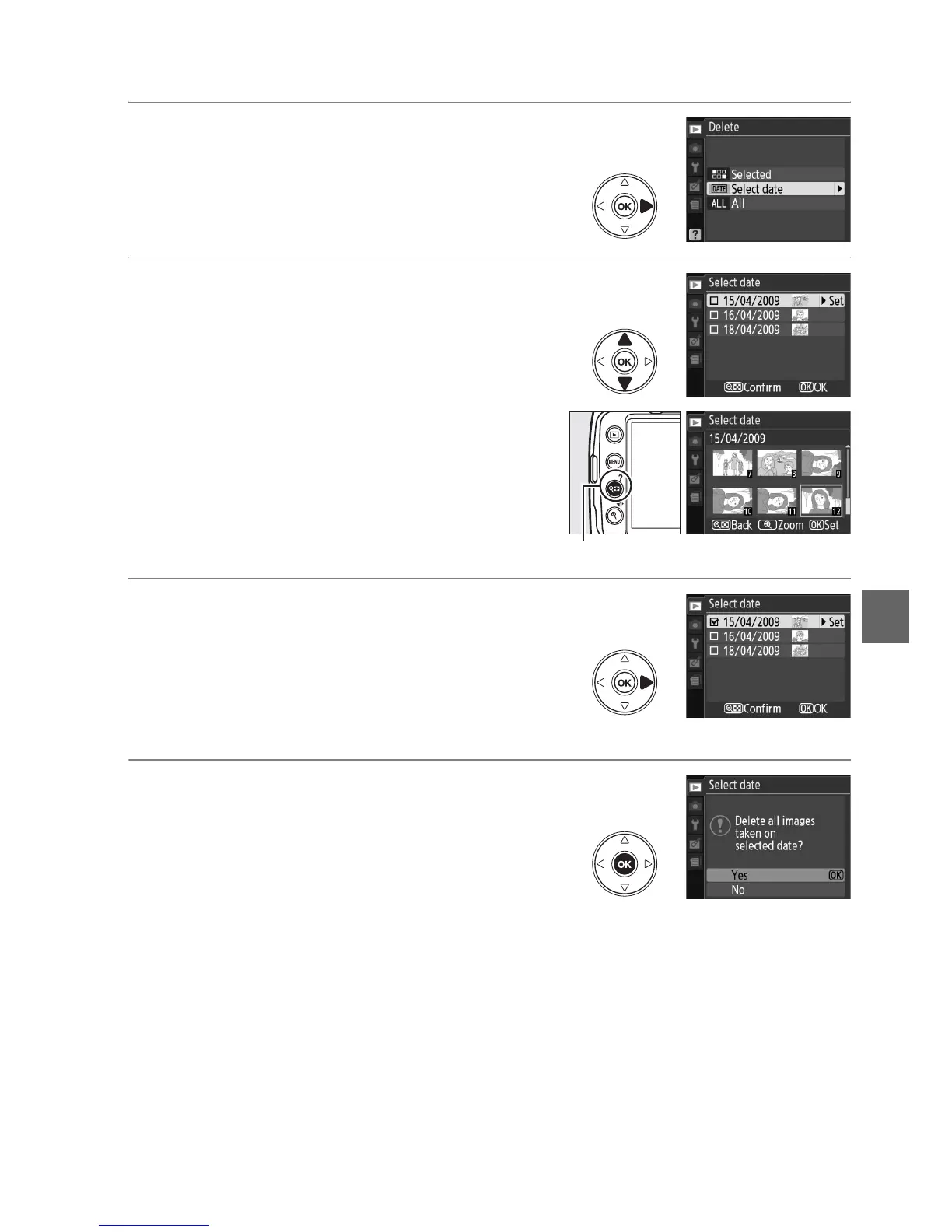
1 Choose Select Date.
In the delete menu, highlight Select date
and press 2.
2 Highlight a date.
Press 1 or 3 to highlight a date.
To view the pictures taken on the
highlighted date, press W.
Use the multi
selector to scroll through the pictures, or
press X to view the current picture full
screen.
Press W to return to the date list.
3 Select the highlighted date.
Press 2 to select all pictures taken on the
highlighted date.
Selected dates are marked
with a M icon.
Repeat steps 2 and 3 to select
additional dates; to deselect a date,
highlight it and press 2.
4 Press J to complete the operation.
A confirmation dialog will be displayed;
highlight Ye s and press J.
W button



 To Next Page