40
!
Set up: Changing Camera Settings in Guide Mode
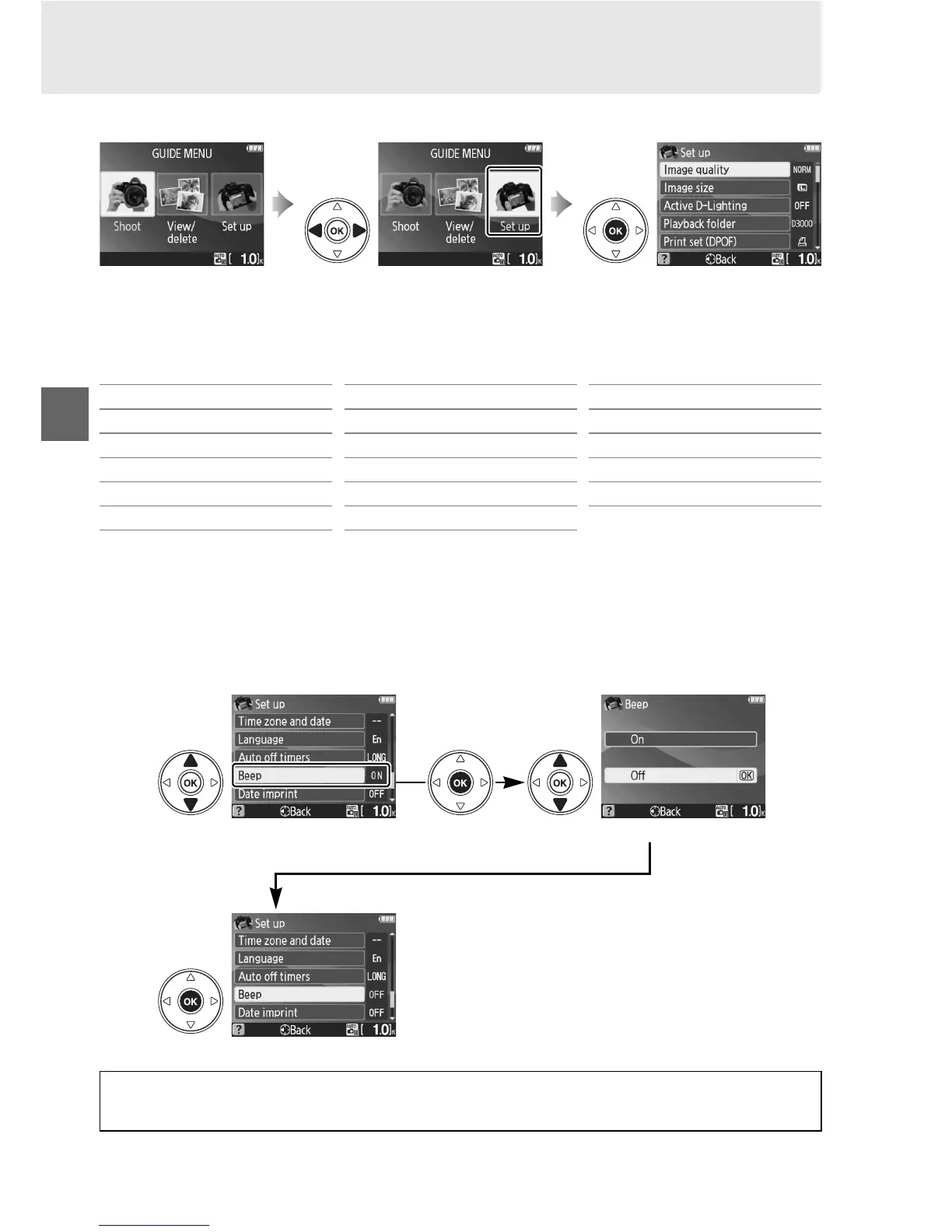
Select Set up to format memory cards or adjust camera settings.
Highlight Set up in the top level of the guide menu and press J to display the
following options:
Changes to settings other than Playback folder, Print set (DPOF), Format memory
card, Video mode, Time zone and date, Language, No memory card?, and Eye-Fi
upload only apply in guide mode and are not reflected in other shooting modes.
To select an option (Beep > Off in this example):
Press G to display
guide menu
Highlight Set up Press J to display options
Image quality LCD brightness Auto off timers
Image size Info background color Beep
Active D-Lighting Auto info display Date imprint
Playback folder Video mode No memory card?
Print set (DPOF) Time zone and date Eye-Fi upload
*
Format memory card Language
* Only available when compatible Eye-Fi memory card is inserted.
Highlight a setting Press J Highlight an option
Press J to select
A Displaying the Top Level of the Guide Menu
Press the G button at any time to return to the top level of the guide menu.



 To Next Page