145
u
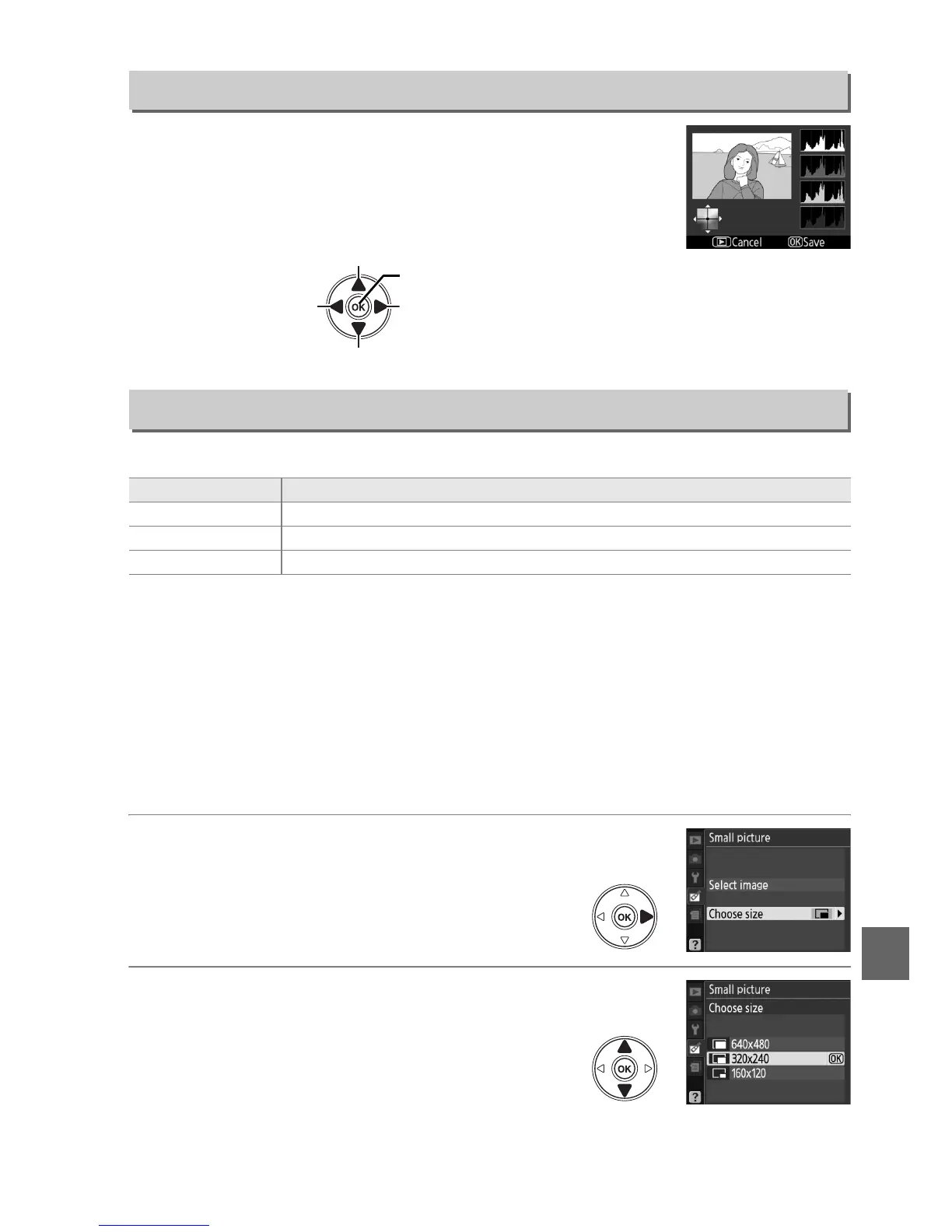
Use the multi selector to create a copy with modified color
balance as shown below.
The effect is displayed in the monitor
together with red, green, and blue histograms (0 93) giving the
distribution of tones in the copy.
Create a small copy of the selected picture.
The following sizes are available:
The small picture option can be used during full-frame playback as described on
page 141.
The procedure for selecting pictures after choosing Small picture from
the retouch menu, however, differs from that described at the beginning of this
section: instead of selecting a single photograph and then choosing a picture size,
the user selects a picture size first and then selects one or more photographs to copy
at the selected size as described below.
Selecting Small picture from the retouch menu displays the menu shown in Step 1.
Follow the steps below to create small copies of multiple pictures.
1 Select Choose size.
Highlight Choose size and press 2.
2 Choose the desired size.
Highlight desired size and press J to select
and return to the previous menu.
Color Balance
G button ➜ N retouch menu
Small Picture
G button ➜ N retouch menu
Option Description
0 640×480 Suited to television playback.
1 320×240 Suited to display on Web pages.
2 160×120 Suitable for e-mail.
Increase amount of magenta
Increase amount of green
Increase amount of
blue
Increase amount of
amber
Create retouched copy



 To Next Page