117
M
o
Menu Guide
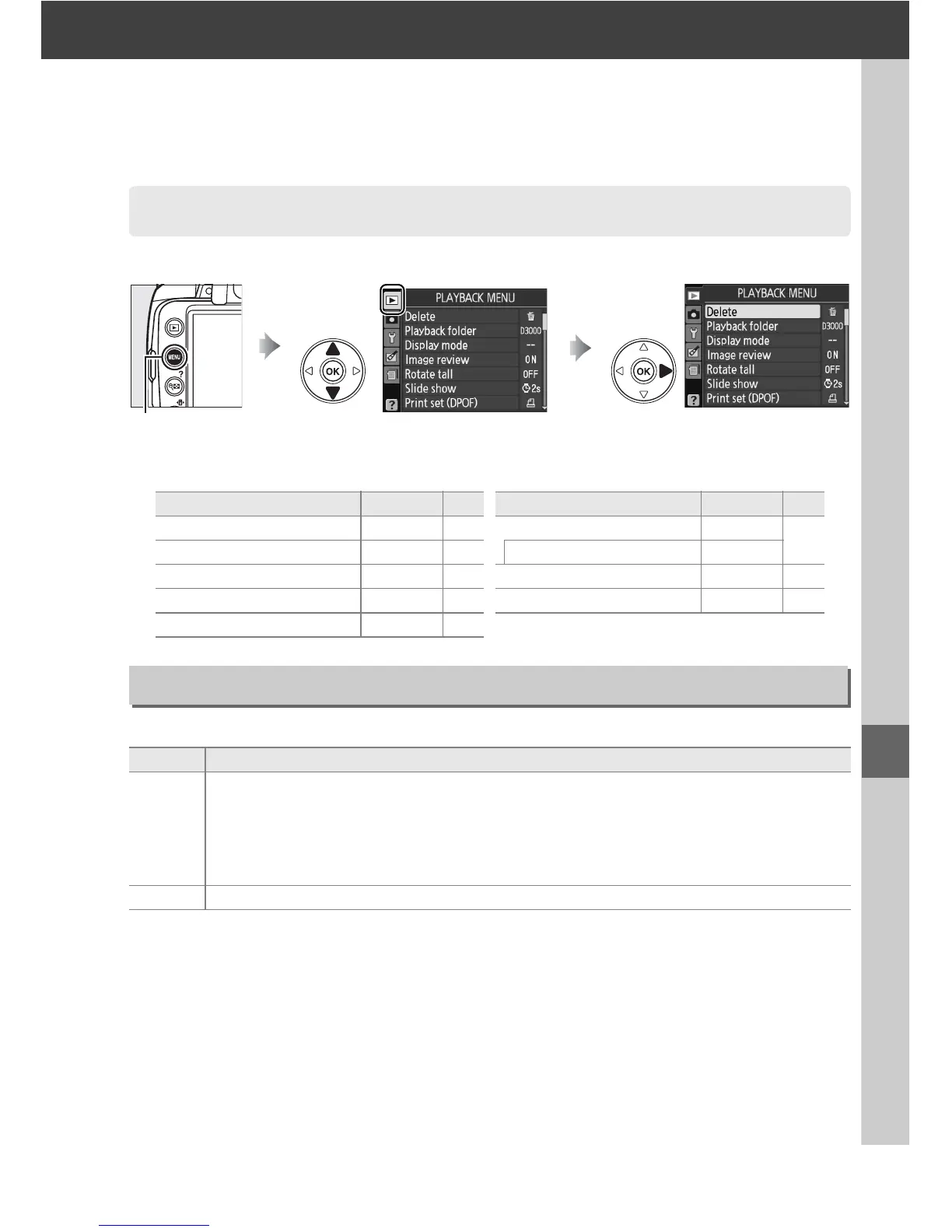
To display the playback menu, press G and select the D (playback menu) tab.
The playback menu contains the following options:
Choose a folder for playback:
D The Playback Menu: Managing Images
G button
Option Default 0 Option Default 0
Delete — 102 Slide show —
104
Playback folder Current 117 Frame interval 2 s
Display mode — 118 Print set (DPOF) — 114
Image review On 118 Stop-motion movie — 153
Rotate tall Off 118
Playback Folder
G button ➜ D playback menu
Option Description
Current
Only photos in the folder currently selected for Active folder in the setup menu are
displayed during playback.
This option is selected automatically when a photo is
taken.
If a memory card is inserted and this option selected before photos have
been taken, a message stating that the folder contains no images will be displayed
during playback.
Select All to begin playback.
All Pictures in all folders will be visible during playback.



 To Next Page