134
g
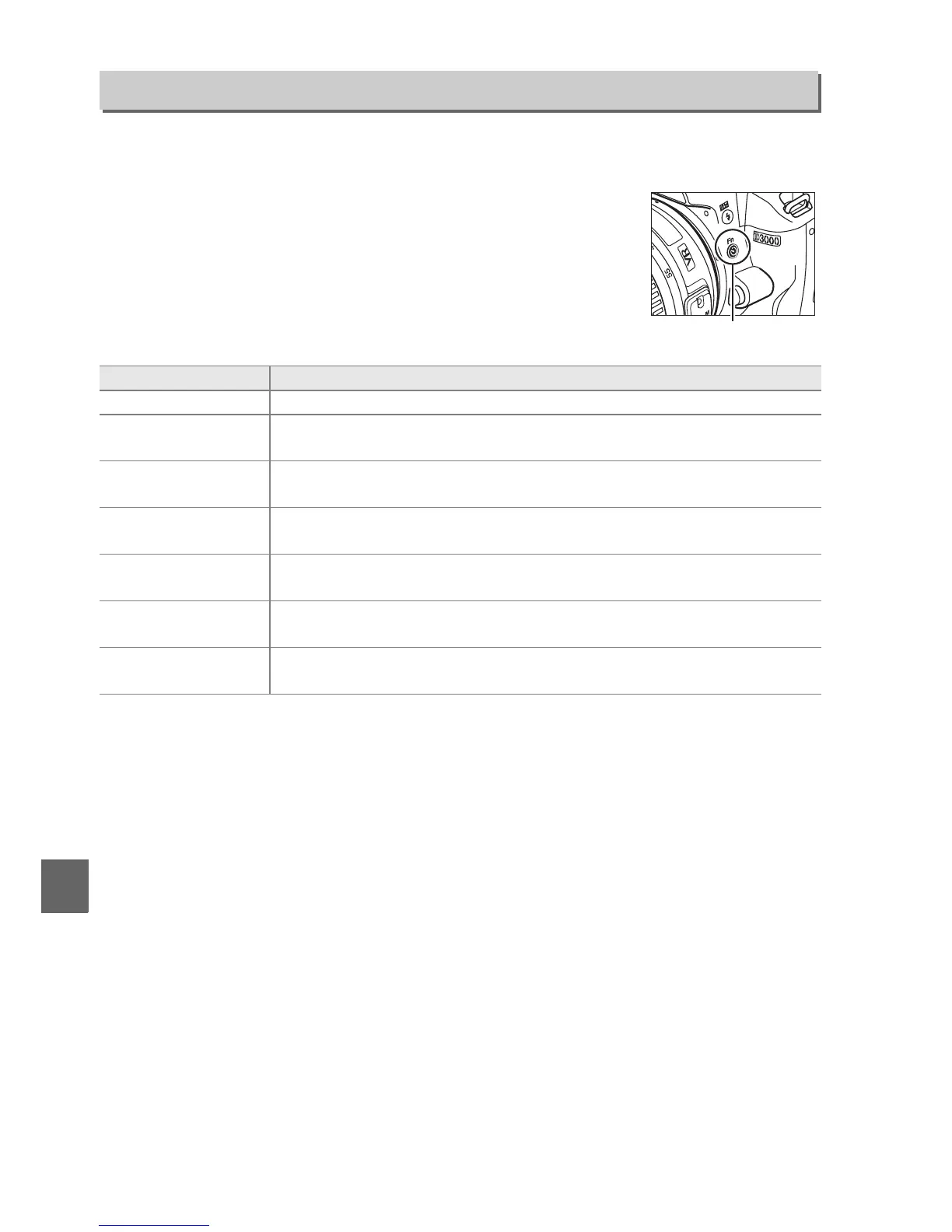
Choose the roles played by the E/Fn and AE-L/AF-L buttons.
❚❚ E/Fn Button
Choose the role played by the Fn (E) button.
Buttons
G button ➜ B setup menu
Option Description
E Self-timer Press the Fn (E) button to toggle self-timer mode on and off (0 57).
I Release mode
*
Press the Fn (E) button and rotate the command dial to select the
release mode (0 53).
v
Image quality/
size
*
Press the Fn (E) button and rotate the command dial to select image
quality and size (0 50).
w
ISO
sensitivity
*
Press the Fn (E) button and rotate the command dial to select ISO
sensitivity (0 62).
m
White
balance
*
Press the Fn (E) button and rotate the command dial to select white
balance (P, S, A, and M modes only; 0 80).
!
Active
D-Lighting
*
Press the Fn (E) button and rotate the command dial to select an Active
D-Lighting option (0 64).
'
Set framing
grid
*
Press the Fn (E) button and rotate the command dial to display or hide
a framing grid in the viewfinder (0 132).
* The item currently selected for E/Fn button is shown by a white-on-black icon (Release
mode is shown by an Fn icon).
Fn (E) button



 To Next Page