52
z
Image Size
Image size is measured in pixels.
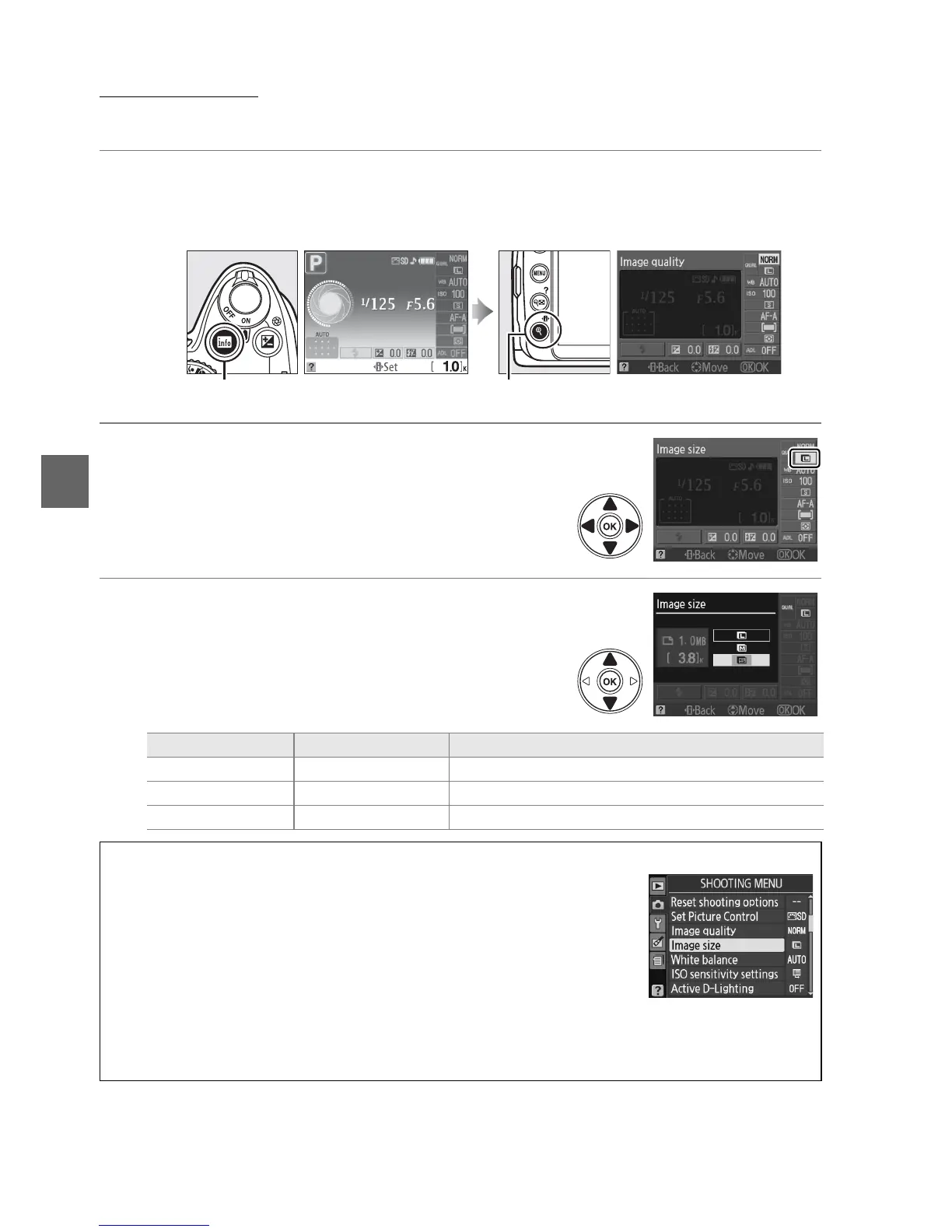
1 Place the cursor in the information display.
If shooting information is not displayed in the monitor, press the R button.
Press the P button to place the cursor in the information display.
2 Display image size options.
Highlight the current image size in the
information display and press J.
3 Choose an image size.
Highlight one of the following options and press
J.
R button Information display P button
Image size Size (pixels) Approximate size when printed at 200 dpi
# Large 3,872 × 2,592 49.2 × 32.9 cm (19.4 × 13.0 in.)
$ Medium 2,896× 1,944 36.8 × 24.7 cm (14.5 × 9.7 in.)
% Small 1,936 × 1,296 24.6 × 16.5 cm ( 9.7 × 6.5 in.)
A The Shooting Menu
Image size can also be adjusted using the Image size option in the
shooting menu (0 119).
A The Fn Button
Image quality and size can also be adjusted by pressing the Fn (E) button and rotating the
command dial (0 134).



 To Next Page