35
!
!
Guide Mode
The guide menu gives access to a variety of frequently-used and useful
functions.
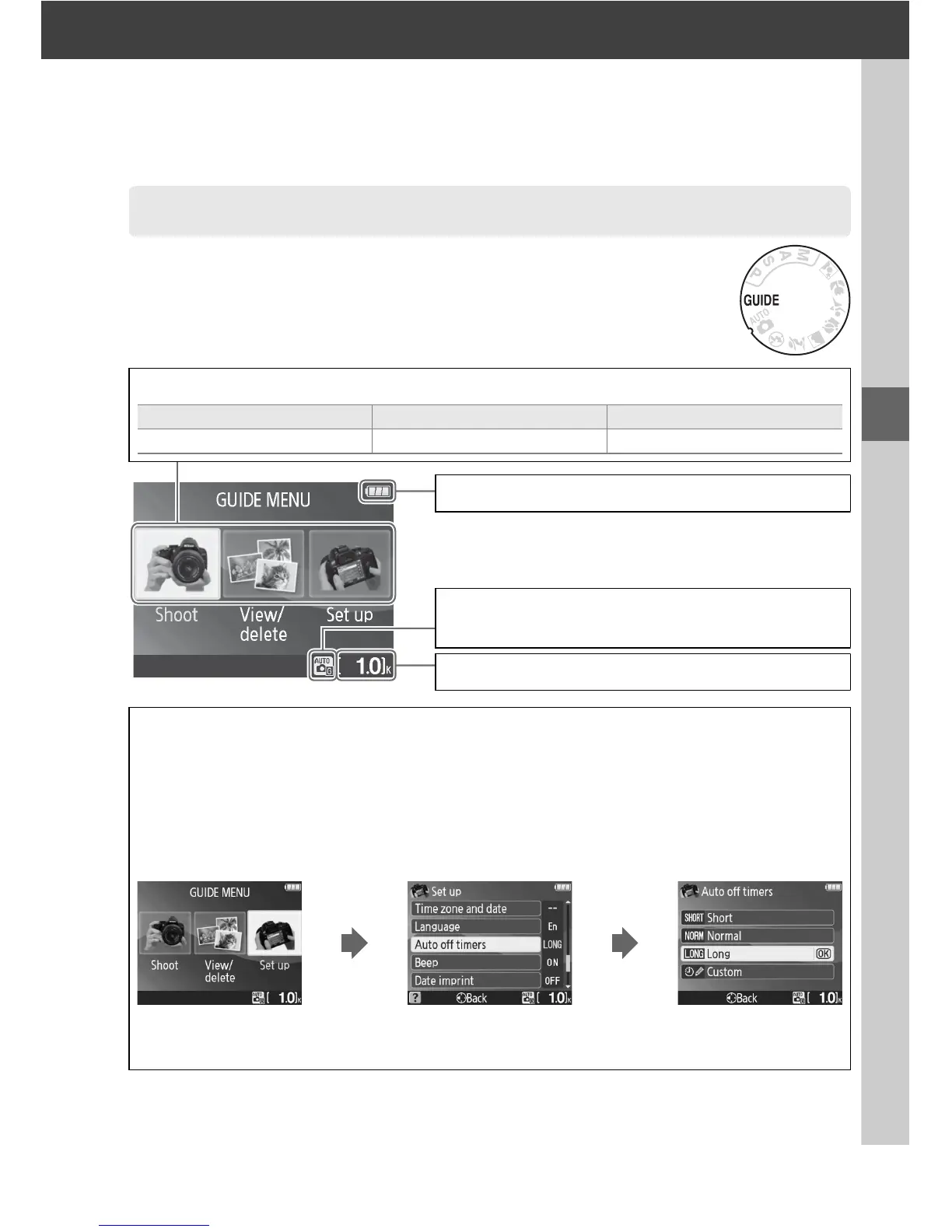
The top level of the guide menu is displayed when the
mode dial is rotated to g.
The Guide Menu
Choose from the following menus:
Shoot View/delete Set up
Take pictures. View and/or delete pictures. Change camera settings.
D Guide Mode
Guide mode is reset to Easy operation > Auto when the mode dial is rotated to another
setting or the camera is turned off.
If no other option is selected when the shutter-release
button is pressed, the camera will take pictures in auto mode.
If the monitor turns off, the
top level menu can be displayed by pressing the G button.
To increase the time the
monitor remains on when no operations are performed, select Set up > Auto off timers in
the guide menu.
A Displaying the Top Level of the Guide Menu
Press the G button at any time to return to the top level of the guide menu.
Battery indicator (0 25)
Shooting mode: A guide mode indicator appears on
the shooting mode icon.
Number of exposures remaining (0 26)



 To Next Page