168
n
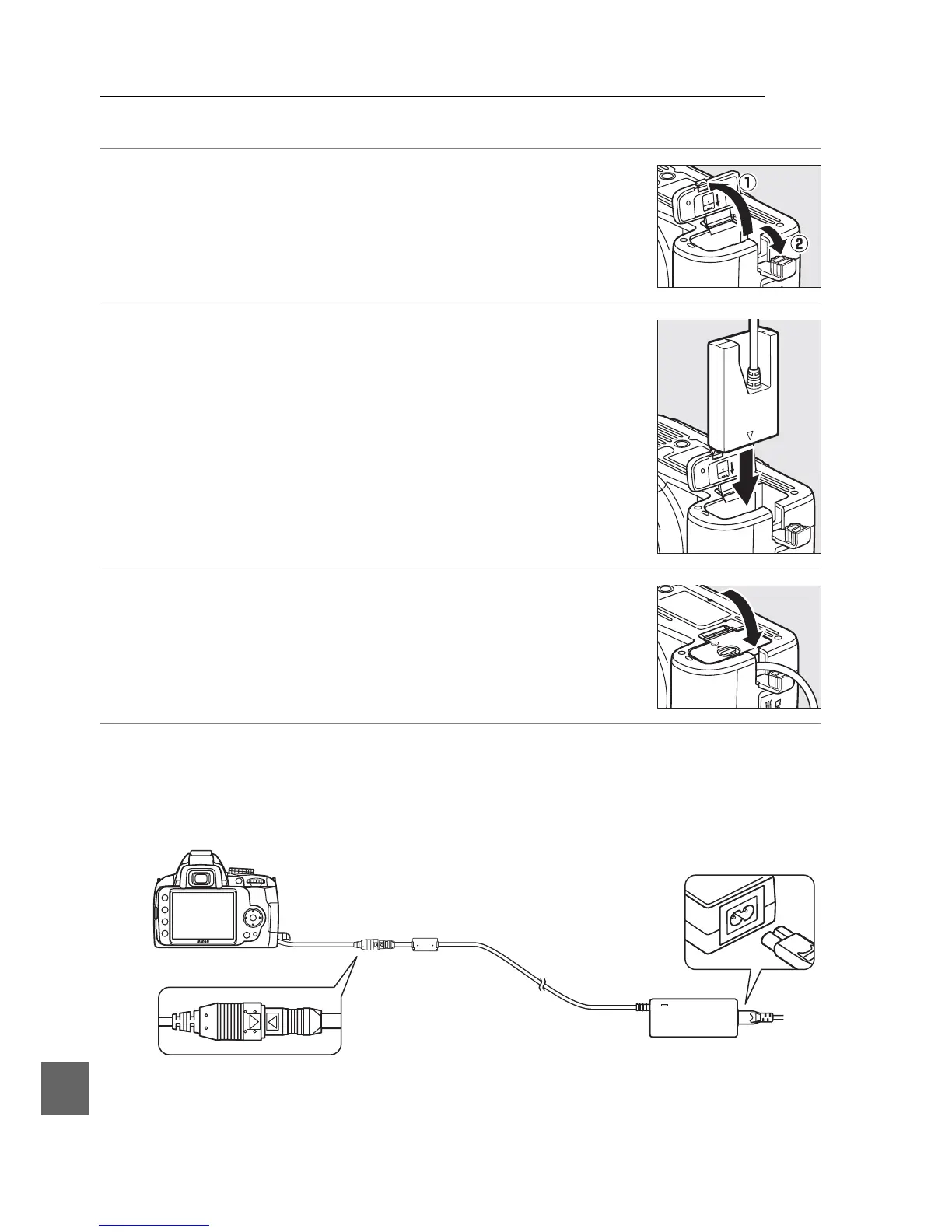
Attaching a Power Connector and AC Adapter
Turn the camera off before attaching an optional power connector and AC adapter.
1 Ready the camera.
Open the battery-chamber (q ) and power connector (w)
covers.
2 Insert the EP-5 power connector.
Be sure to insert the connector in the correct orientation.
3 Close the battery-chamber cover.
Position the power connector cable so that it passes
through the power connector slot and close the battery-
chamber cover.
4 Connect the AC adapter.
Connect the AC adapter power cable to the AC socket on AC adapter (e) and
the EP-5 power cable to the DC socket (r).
A P icon is displayed in the
monitor when the camera is powered by the AC adapter and power connector.
r



 To Next Page