15
X
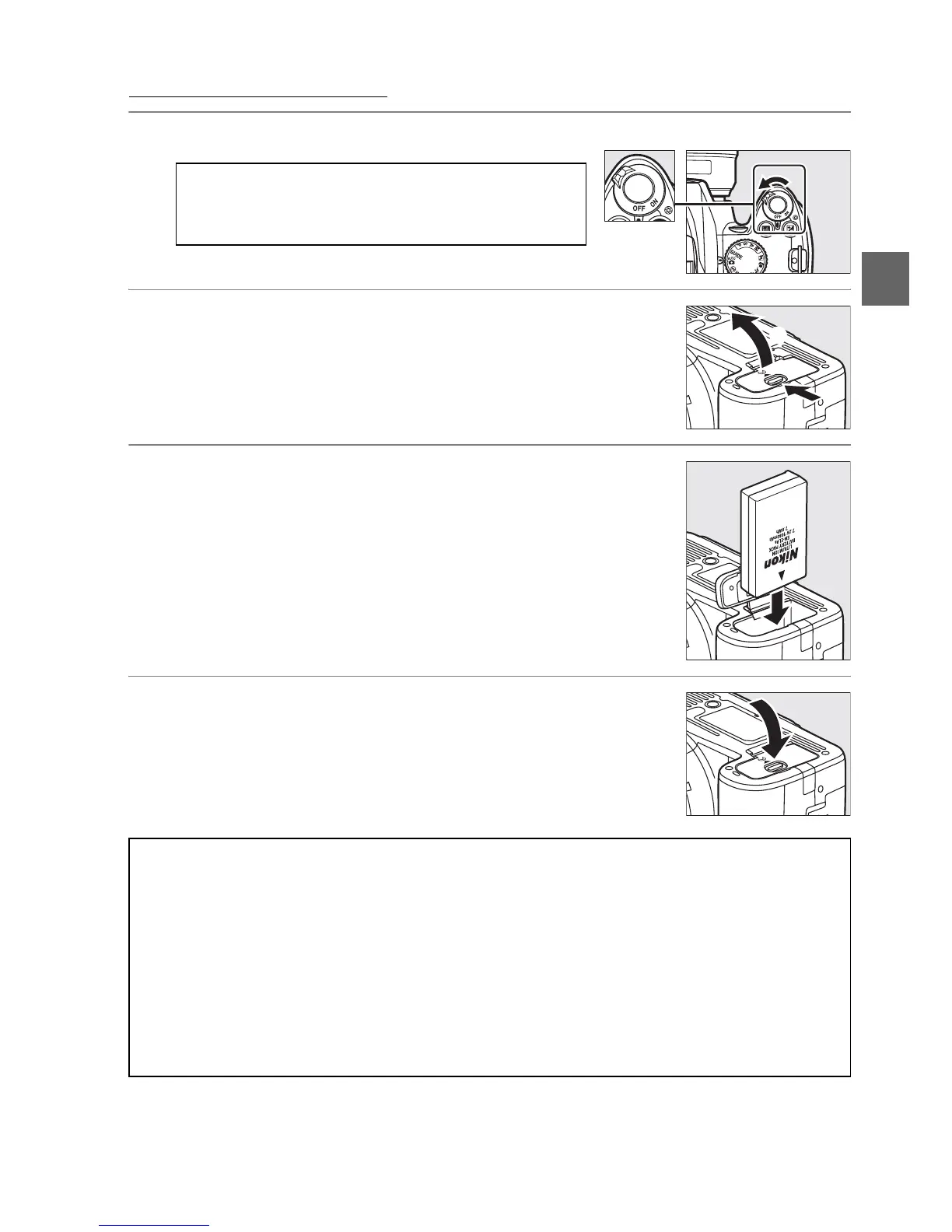
Insert the Battery
1 Turn the camera off.
2 Open the battery-chamber cover.
Unlatch (q) and open (w) the battery-chamber
cover.
3 Insert the battery.
Insert the battery as shown at right.
4 Close the battery-chamber cover.
A Inserting and Removing Batteries
Always turn the camera off before inserting or
removing batteries.
D The Battery and Charger
Read and follow the warnings and cautions on pages xi–xii and 174–175 of this manual.
Do not
use the battery at ambient temperatures below 0°C (32°F) or above 40°C (104°F).
Charge
the battery indoors at ambient temperatures between 5–35°C (41–95°F); for best results,
charge the battery at temperatures above 20°C (68°F).
Battery capacity may temporarily
drop if the battery is charged at low temperatures.
The battery may be hot immediately after use.
Wait for the battery to cool before
recharging.
Use the charger with compatible batteries only.
Unplug when not in use.
Power switch
w
q



 To Next Page