137
g
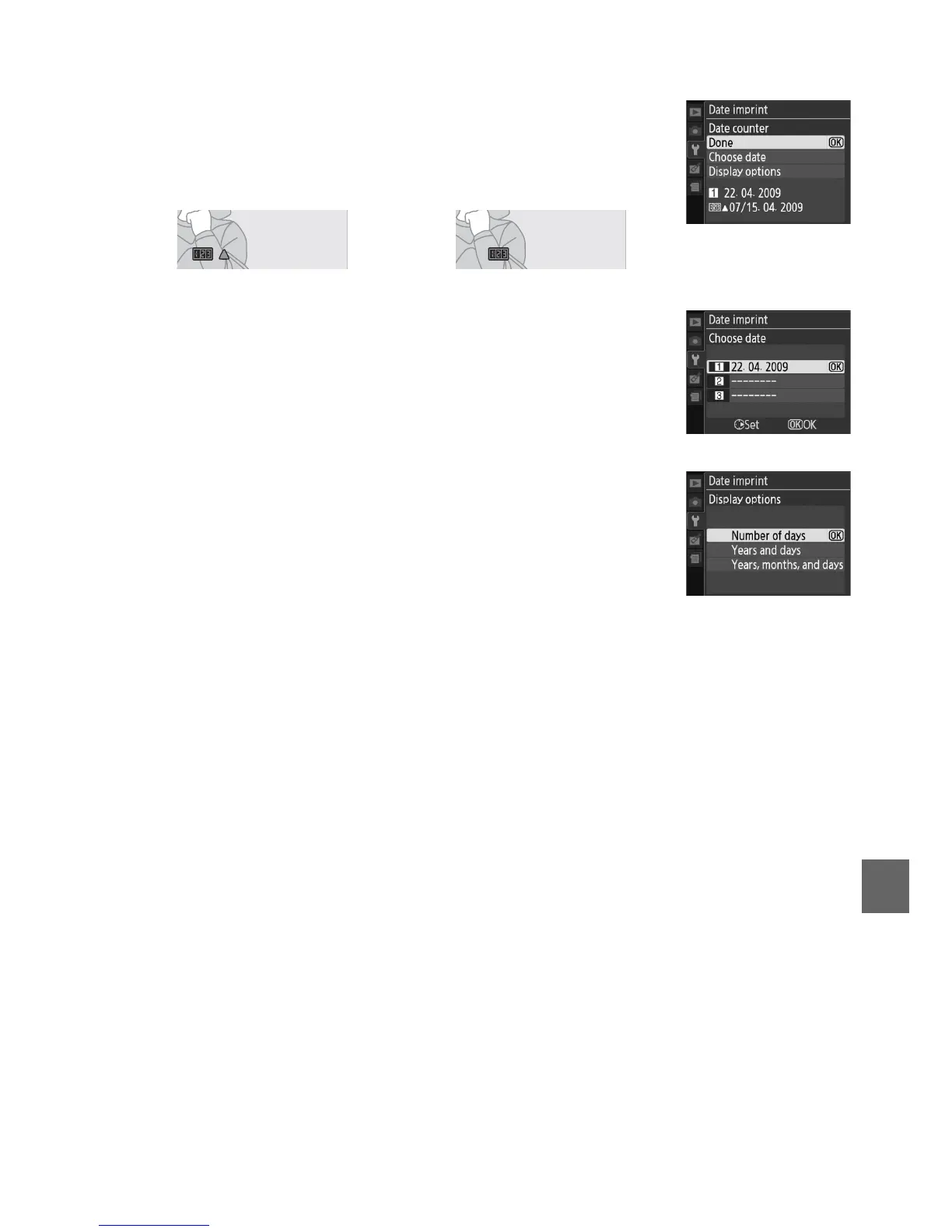
❚❚ Date Counter
Up to three separate dates can be stored in slots 1, 2, and 3.
The
first time you use the date counter, you will be prompted to
select a date for slot 1; enter a date using the multi selector and
press J.
To change the date or store additional dates, highlight
a slot, press 2, and enter the date.
To use the stored date,
highlight the slot and press J.
To choose a date counter format, highlight Display options and
press 2 to display the menu shown at right.
Highlight an option
and press J.
Highlight Done in the date counter menu and
press J when settings are complete.
Pictures taken while this option is in effect are imprinted with
the number of days remaining until a future date or the number
days elapsed since a past date. Use it to track the growth of a
child or count down the days until a birthday or wedding.
Future date (two days remaining) Past date (two days elapsed)
02



 To Next Page