38
!
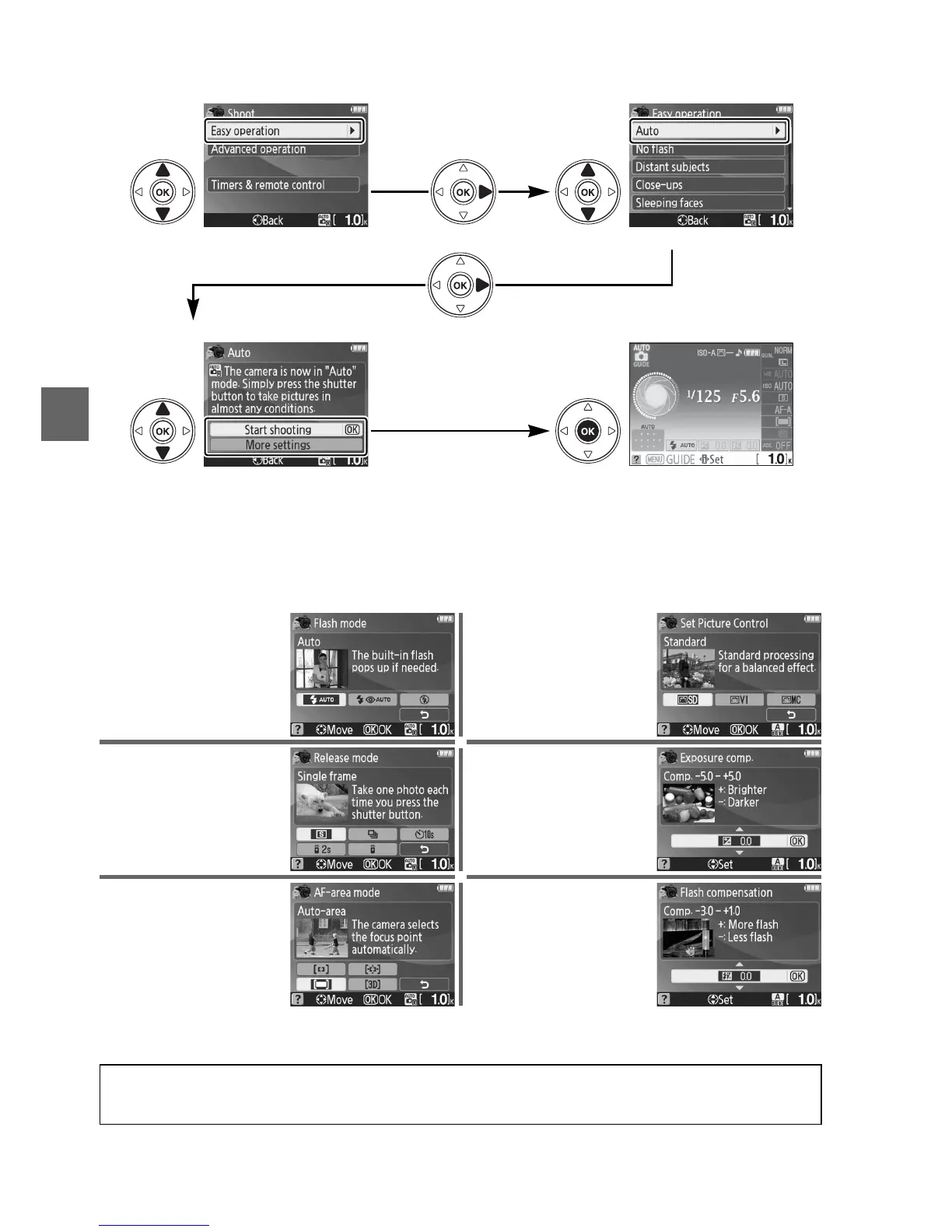
To select a scene (Easy operation > Auto in this example):
❚❚ More Settings
Select More settings to adjust the following:
Press 2
Highlight an option Highlight a scene
Press 2
Highlight Start shooting
(to adjust the
settings listed below, select More
settings)
Press J to view camera settings in the
information display (0 6)
Flash mode
1
Picture Control
2
Release mode Exposure compensation
2
AF-area mode Flash compensation
2
1 Modes available vary with shooting option selected in guide mode.
2 Advanced operation only.
A Displaying the Top Level of the Guide Menu
Press the G button at any time to return to the top level of the guide menu.



 To Next Page