1078
Caring for the Camera
❚❚
Manual Cleaning
If foreign matter cannot be removed from the low-pass filter
using the “clean image sensor” option (
0
1075), the filter can
be cleaned manually as described below. Note, however, that
because the filter is extremely delicate and easily damaged, we
recommend that manual cleaning be performed only by a
Nikon-authorized service representative.
•
To prevent loss of power during the operation, use a fully-
charged battery or connect an optional AC adapter and power
connector.
•
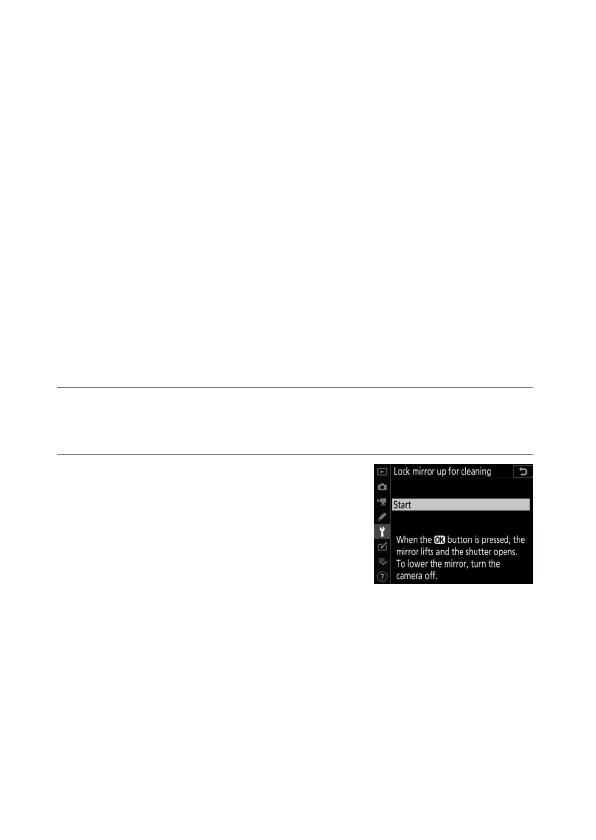
Manual cleaning requires use of the [Lock mirror up for
cleaning] item in the setup menu. The [Lock mirror up for
cleaning] item is not available at battery levels of
J
or below
or if the camera is connected to a smart device via Bluetooth
or other devices via USB.
1
Turn the camera off and remove the lens.
After removing the lens, turn the camera on.
2
Highlight [Lock mirror up for
cleaning] in the setup menu
and press
2
.
The camera will prepare to lock the
mirror up.



 To Next Page