38
Readying the Camera
Inserting Memory Cards
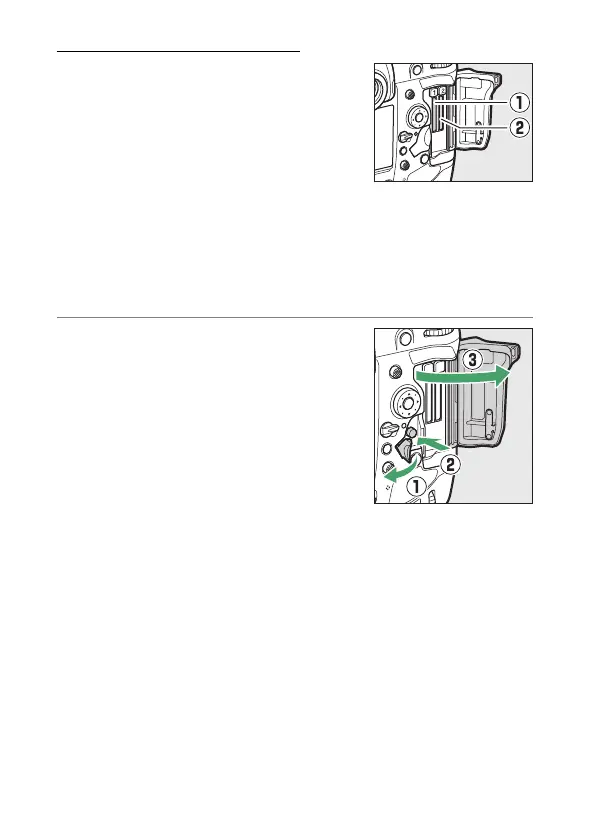
The camera is equipped with two
memory card slots: Slot 1 (
q
) and Slot 2
(
w
), allowing simultaneous use of two
memory cards.
•
Turn the camera off before inserting or removing memory
cards.
•
Do not push on the memory card while pressing the eject
button. Failure to observe this precaution could damage the
camera or memory card.
1
Open the card slot cover.
Open the door protecting the card-
slot cover release button (
q
) and
press the release button (
w
) to open
the card slot (
e
).



 To Next Page