39
Readying the Camera
2
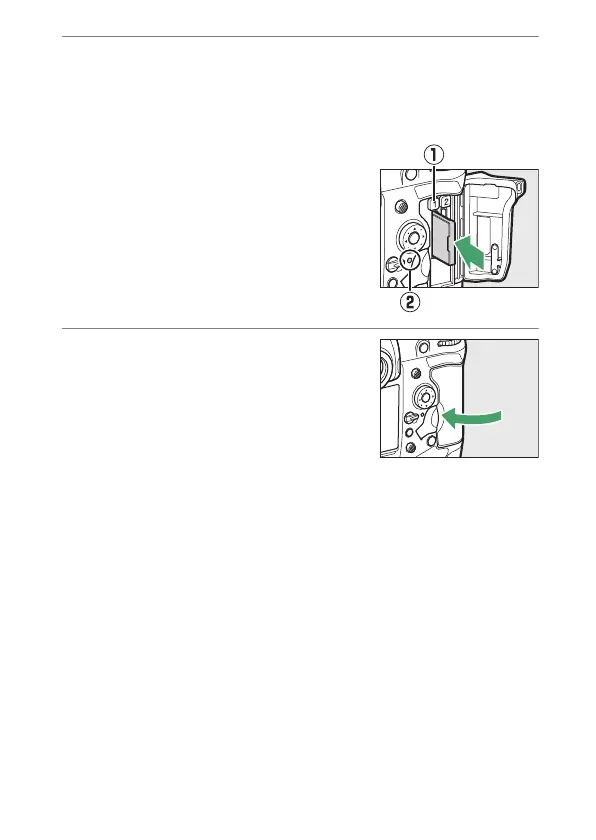
Insert the memory card.
Inserting a card upside down or backwards could damage the
camera or the card. Check to be sure that the card is in the
correct orientation.
Holding the card with the rear label
toward the monitor, slide it all the
way into the slot. When the memory
card is fully inserted, the eject button
(
q
) will pop up and the green
memory card access lamp (
w
) will
light briefly.
3
Close the card slot cover.
If this is the first time the memory
card will be used after being used or
formatted in another device, format
the card in the camera before
proceeding.



 To Next Page