540
Creating a Network Profile (Ethernet)
7
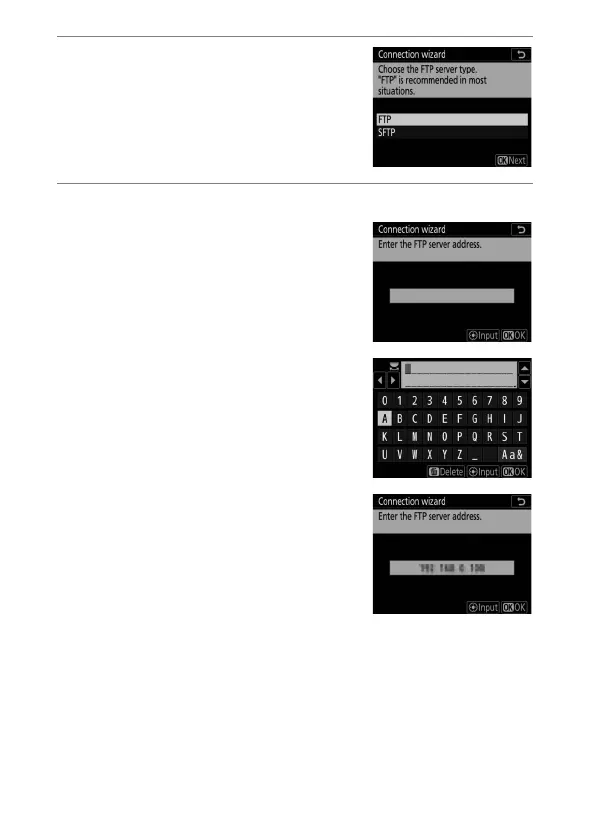
Choose the server type.
Highlight [FTP] or [SFTP] (secure ftp)
and press
J
.
8
Enter the IP address.
•
Press the center of the multi
selector and enter the server URL or
IP address.
•
Press
J
when entry is complete.
•
Press
J
again to connect to the ftp
server. You will be prompted to
choose a login method.



 To Next Page