744
D
The Playback Menu: Managing Images
9
Select the chosen folder.
After entering a folder number or highlighting the folder
name, press
J
to select the folder and return to the [Copy
image(s)] menu.
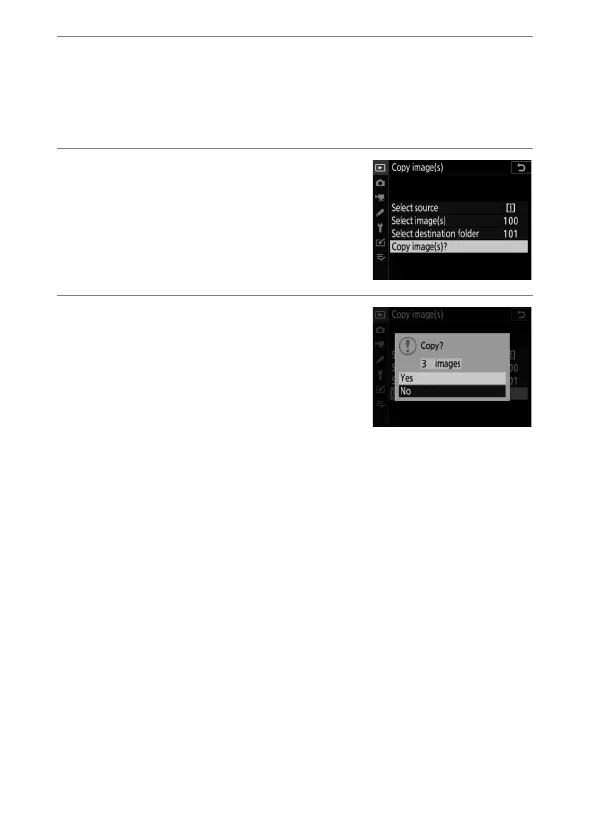
10
Choose [Copy image(s)?].
Highlight [Copy image(s)?] and
press
J
to display a confirmation
dialog.
11
Choose [Yes].
•
The camera will display the
message “[Copy?]” together with
the number of pictures that will be
copied.
•
Highlight [Yes] and press
J
to
copy the selected pictures.
•
Press
J
again to exit when copying is complete.



 To Next Page