772
C
The Photo Shooting Menu: Shooting Options
Reduce the effects of flicker from such light sources as
fluorescent or mercury-vapor lamps during viewfinder
photography. Flicker can cause uneven exposure or (in
photographs taken in continuous release modes) inconsistent
exposure or coloration.
Flicker Reduction
G
button
U
C
photo shooting menu
Option Description
[Flicker reduction
setting]
When [Enable] is selected, the camera will time
photographs to reduce the effects of flicker.
•
Note that the frame rate for burst shooting may
drop or become erratic when [Enable] is
selected.
[Flicker reduction
indicator]
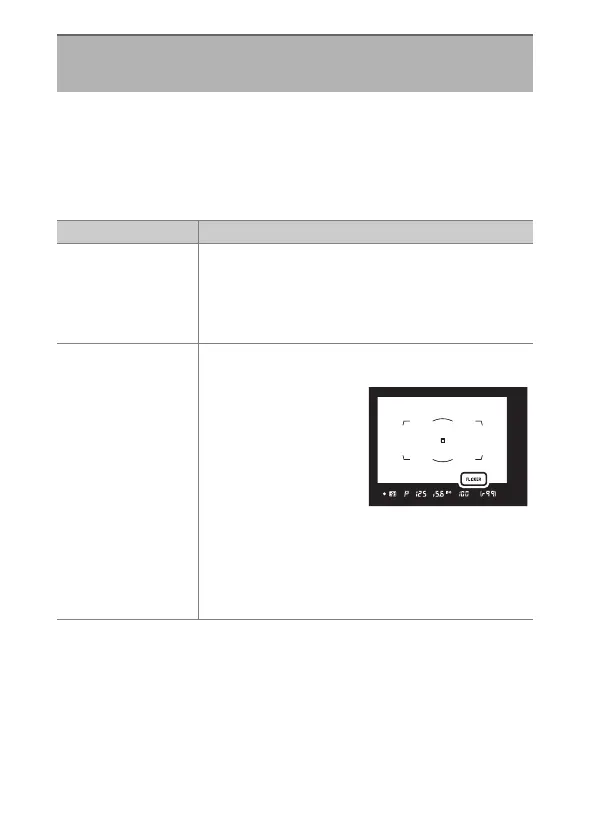
Choose whether a FLICKER icon is displayed in the
viewfinder when flicker is detected.
•
Selecting [Enable] for
[Flicker reduction
setting] and [On] for
[Flicker reduction
indicator] during
viewfinder
photography causes
the FLICKER icon to be displayed if flicker is
detected when the shutter-release button is
pressed halfway. If [Disable] is selected for
[Flicker reduction setting], the FLICKER icon
will flash.



 To Next Page