849
A
Custom Settings: Fine-Tuning Camera Settings
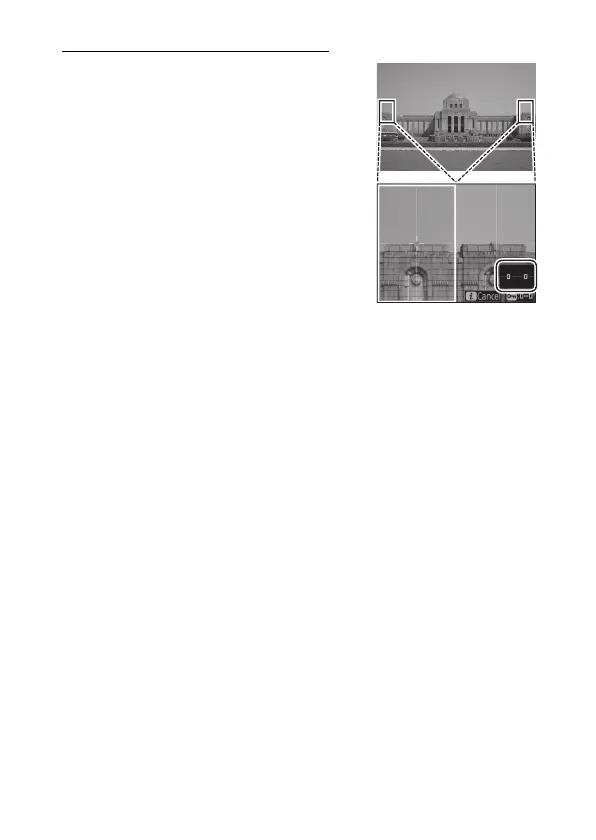
Split-Screen Display Zoom
Display two areas, aligned horizontally
but in different parts of the frame, side-
by-side at a high zoom ratio. This makes
it easier to level photographs of
buildings or other wide objects.
Selecting this option splits the display
into two boxes arranged side-by-side
showing the two areas at a high zoom
ratio (split-screen display zoom). The
boxes display magnified views of the
areas indicated by the frames (
r
) in the
navigation window.
•
Use the
X
and
W
(
M
) buttons to zoom in and out.
•
Press
4
or
2
to scroll the selected area left or right. Use the
g
(
h
/
Q
) button to select a box.
•
Press
1
or
3
to scroll both areas up or down simultaneously.
•
To focus on the subject at the center of the selected area, press
the shutter-release button halfway.
•
To exit split-screen display zoom, press the
i
button.



 To Next Page