- D ・ -
logo_Q0650_forGraphic
071004_Gdesign_ito
VBA21001-R.3753.A
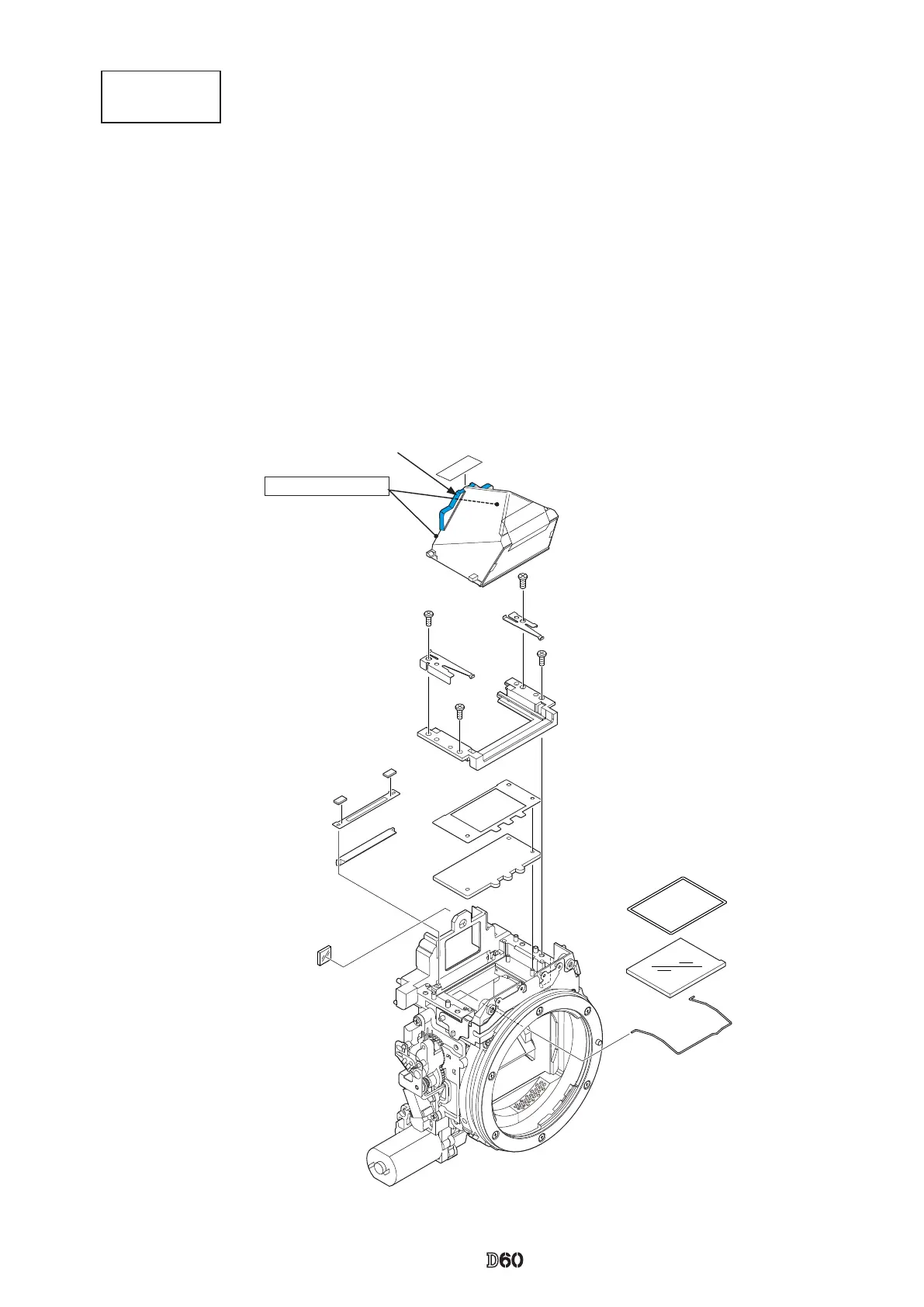
Penta unit
Screen areas
・
Take out the two screws (#635), and remove [#201] and [#202-1].
・
Remove the hollow penta prism unit (#B4) ,which is adhered by Super X.
・
Remove the nder eld frame 2 (#283).
・
Take out the two screws (#635), and remove the SI retaining unit (#B277).
・
Remove the nder eld frame 1 (#282-1).
・
Remove the in-nder display prism (#9).
・
Remove the SI display plate (#13).
・
Remove [#284], [#3], and [#297A or #297B].
Dust trap agent is applied here.
(
Do not wipe out. Do not apply when repairing, either.)
#759
#B4
#635×2
#202-1
#201
#635×2
#B277
#282-1
#793×2
#283
#9
#13
#297Aor#297B
#3
#284
#11
Adhesive: Super X



 To Next Page