- A ・ -
logo_Q0650_forGraphic
071004_Gdesign_ito
VBA21001-R.3753.A
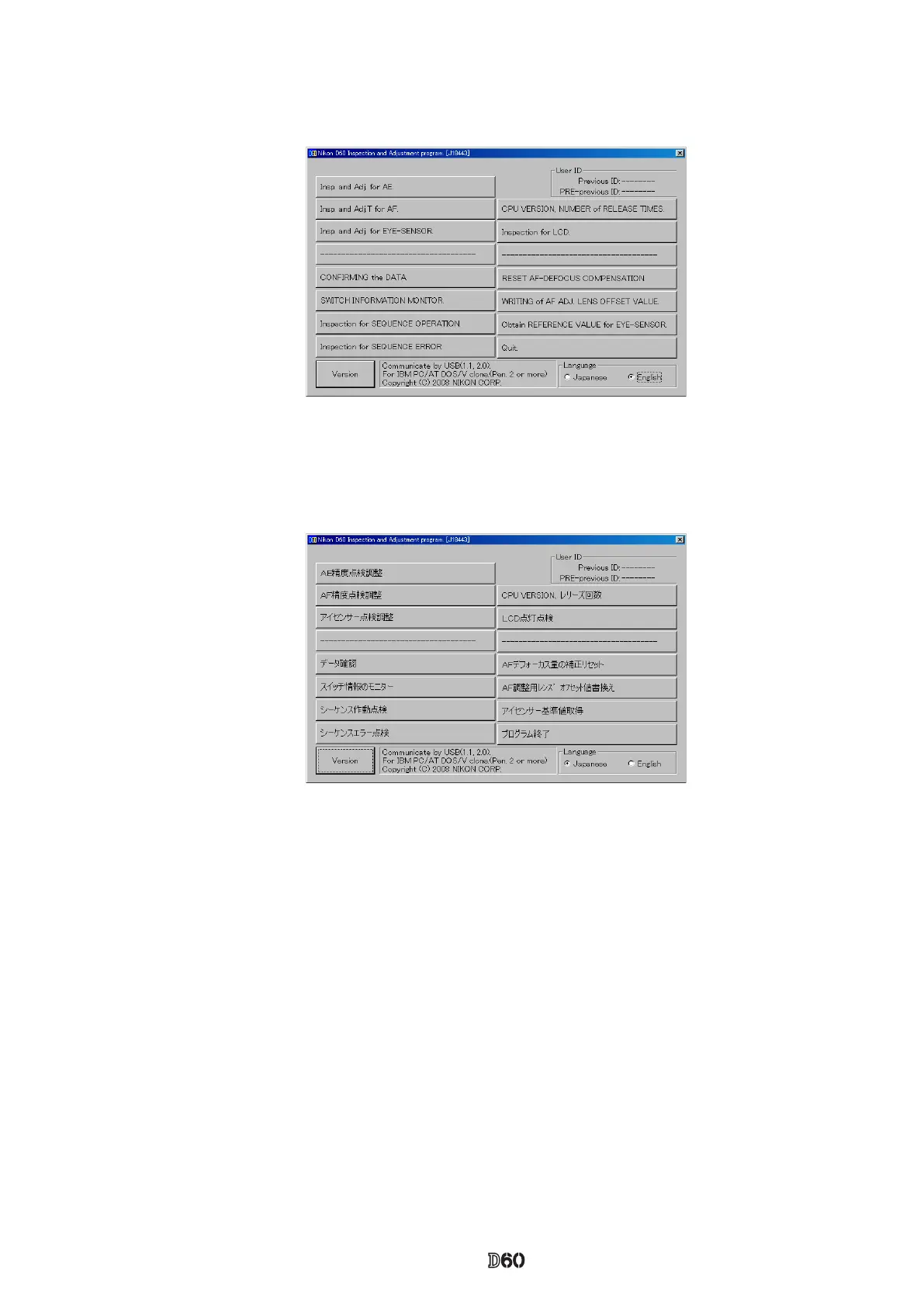
3. When the "Version" button at the lower-left is pressed, the program version will be displayed.
4. Select each item button according to operation.
Follow the instructions on the next screen that will be shown after pressing the item button.
5. To nish the program, press the "Close (×)" button in the right-hand corner of the screen or "QUIT.".
<Start-up of Program>
1. Double-click the le (D60.exe), then Inspection and adjustment program for D60 starts.
2. To display in Japanese, select the radio button "JAPANESE" in "LANGUAGE" in the lower right-hand corner
of the screen.
However, this is not properly viewed in the English OS.



 To Next Page