- A ・ -
logo_Q0650_forGraphic
071004_Gdesign_ito
VBA21001-R.3753.A
#208
#207 #203
3
1
2
#638×3
SQ PCB unit
#253
SQ PCB unit
・
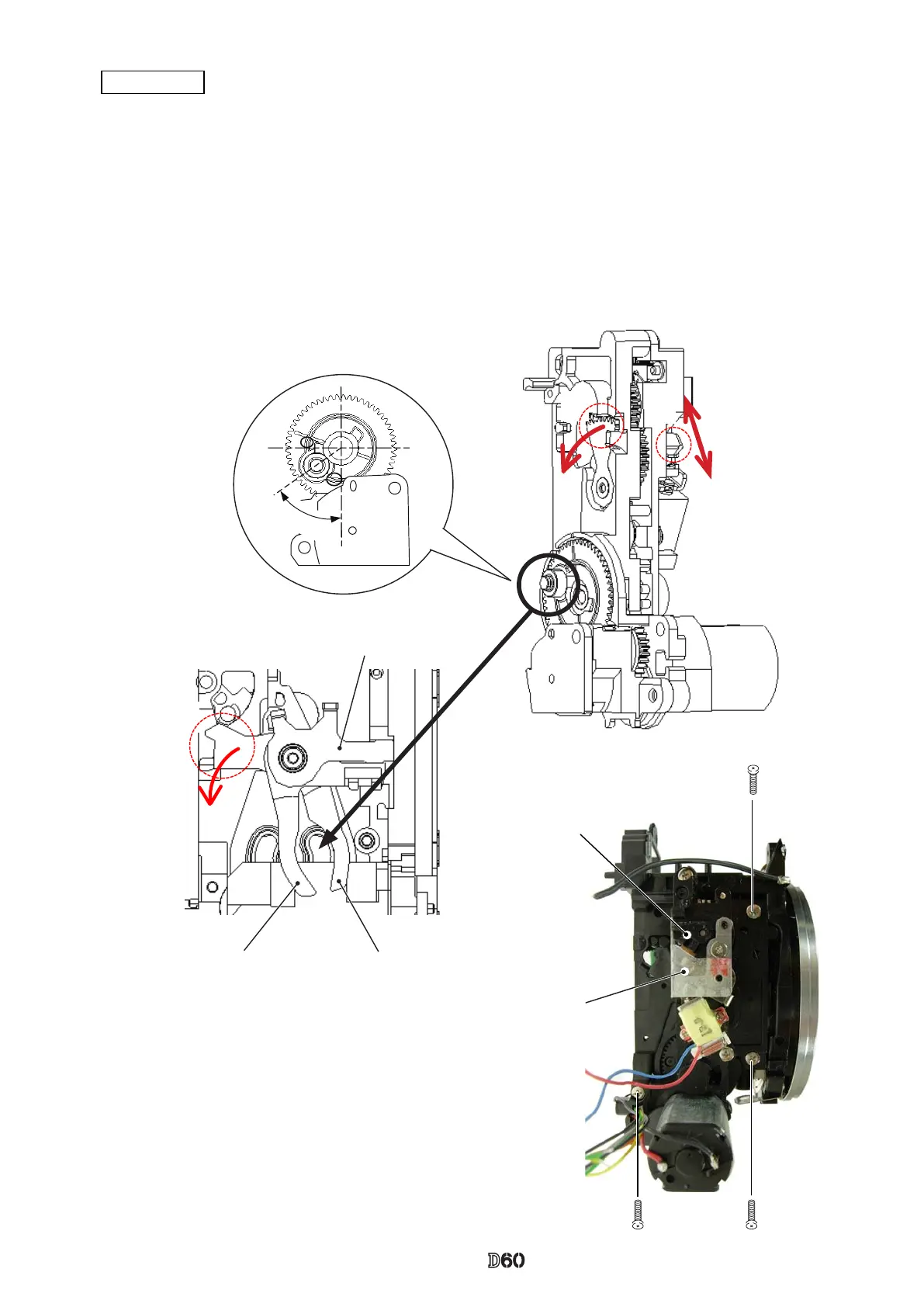
Move the roller section of the aperture control unit to the position as shown in Fig.
①
.
・
Turn "
1
" all the way to the end in the direction of the arrow. Then, Press "
2
" in the direction of "Lock".
・
Turn "
3
", and insert the roller section between [#207] and [#203].
・
Tighten the three screws (#638).
・
Press "
2
" in the direction of "Unlock".
Note: Be careful not to bend contact blade of F-min SW.
Aperture control unit
Roller section
Lock
Unlock
Fig.
①
Approx.



 To Next Page