305
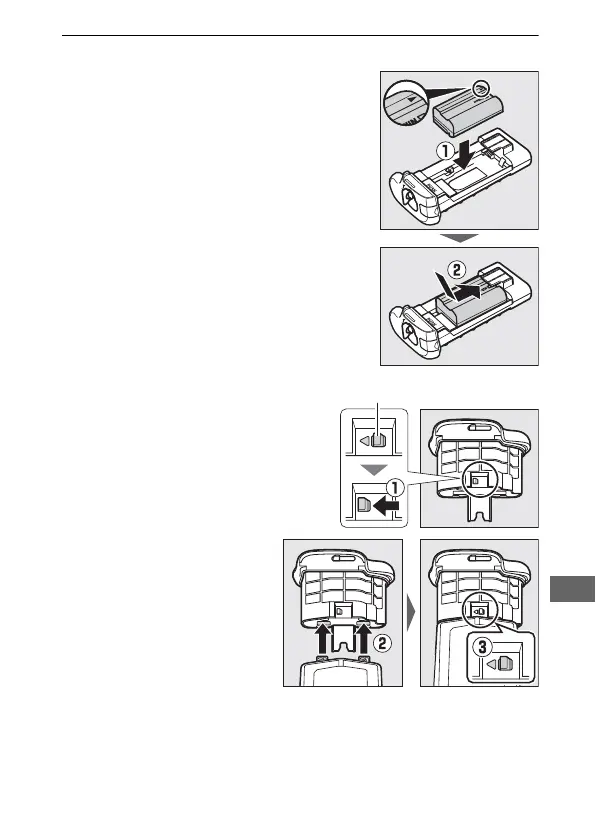
2 Ready the batteries as described below.
EN-EL15a: Matching the indentations
on the battery to the projections on
the MS-D12EN holder, insert the
battery with the arrow (E) on the
battery toward the battery holder
power terminals (q). Press the battery
lightly downward and slide it in the
direction of the arrow until the power
terminals click into place (w).
EN-EL18b: If the battery
release on the optional
BL-5 battery-chamber
cover is positioned so
that the arrow G is
visible, slide the battery
release to cover the
arrow (q). Insert the two
projections on the
battery into the
matching slots on the
BL-5 (w) and confirm
that the battery release
has slid aside to reveal
the arrow (e).



 To Next Page