22
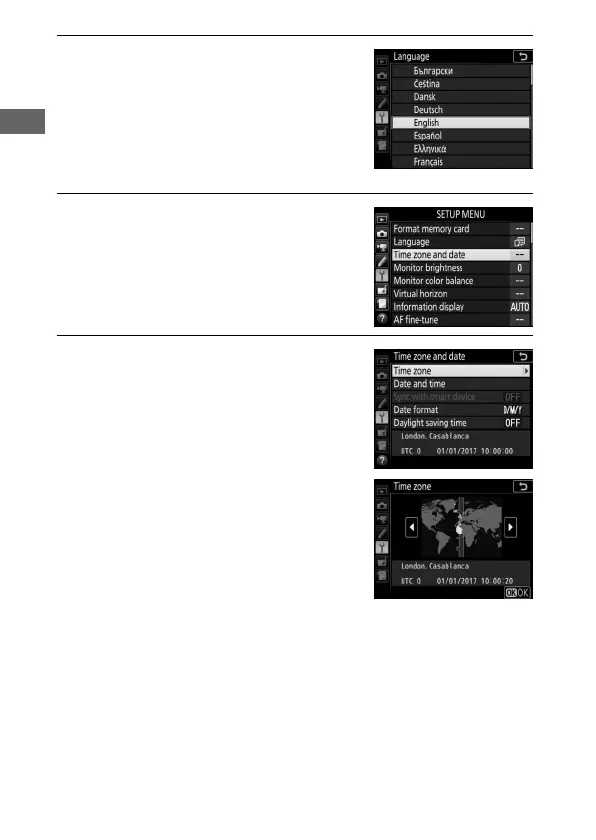
3 Select a language.
Press 1 or 3 to highlight the desired
language and press J.
4 Select Time zone and date.
Select Time zone and date and press
2.
5 Set time zone.
Select Time zone and press 2. Press
4 or 2 to highlight the local time
zone (the UTC field shows the
difference between the selected time
zone and Coordinated Universal Time,
or UTC, in hours) and press J.



 To Next Page