23
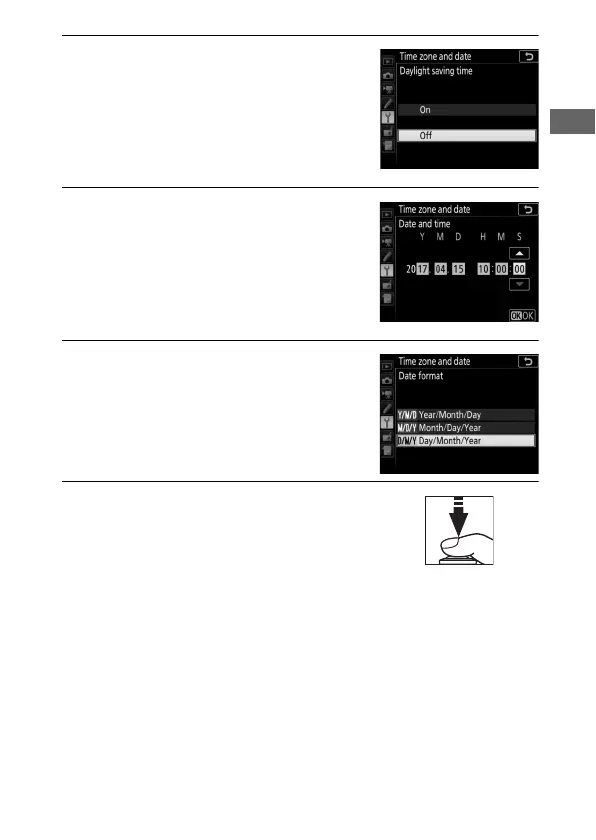
6 Turn daylight saving time on or off.
Select Daylight saving time and
press 2. Daylight saving time is off by
default; if daylight saving time is in
effect in the local time zone, press 1
to highlight On and press J.
7 Set the date and time.
Select Date and time and press 2.
Press 4 or 2 to select an item, 1 or 3
to change. Press J when the clock is
set to the current date and time (note
that the camera uses a 24-hour clock).
8 Set date format.
Select Date format and press 2. Press
1 or 3 to choose the order in which
the year, month, and day will be
displayed and press J.
9 Exit to shooting mode.
Press the shutter-release button
halfway to exit to shooting mode.



 To Next Page