66
Wind noise reduction
Enable or disable wind noise reduction using the
built-in microphone’s low-cut filter (0 259).
Destination
When two memory cards are inserted, you can
choose the card to which movies are recorded
(0 256).
Monitor brightness
Press 1 or 3 to adjust monitor brightness (note
that this affects live view only and has no effect on
photographs or movies or on the brightness of the
monitor for menus or playback; 0 45).
Multi-selector
power aperture
Select Enable to enable power aperture. Press 1 to
widen the aperture, 3 to narrow the aperture.
Multi selector
exposure comp.
Selecting Enable allows exposure compensation to
be set by pressing 1 or 3.
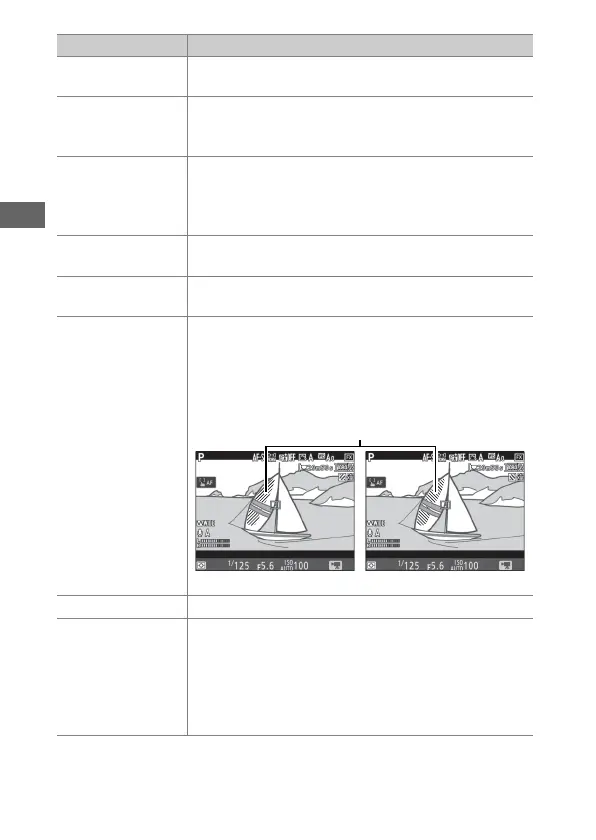
Highlight display
If Pattern 1 or Pattern 2 is selected, shading will be
used to indicate highlights (bright areas of the
frame). The level of brightness needed to trigger
the highlight display can be selected using Custom
Setting g2 (Highlight brightness, 0 270).
Headphone volume
Press 1 or 3 to adjust headphone volume.
Electronic VR
Select On to enable electronic vibration reduction
in movie mode. Not available at frame sizes of 1920
× 1080 (slow-mo) and 3840 × 2160 (0 69). Note
that if the electronic vibration reduction is on, the
angle of view is reduced and the edges of the frame
will be cropped out.
Option Description
Highlights
Pattern 1 Pattern 2



 To Next Page