4
Important Information
Important Note:
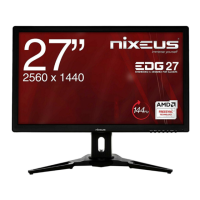
Please make sure your computer hardware and graphics card supports the Nixeus EDG 34" Monitor. Some devices and
connections may not be able to support the full 3440x1440 resolution at 144Hz refresh rates. Avoid using 3rd party cable
adapters/convertors to connect the NX-EDG34S to HDMI, VGA, and DVI output devices - we cannot guarantee they will
be compatible with the NX-EDG34S. If you are not sure, please contact your computer hardware’s manufacturer. Please
read this manual before using NX-EDG34S with your computer. It contains important information regarding the use and
care of computer monitors.
Safety and Maintenance:
1) Do not expose the monitor to direct sunlight. Keep the monitor away from a stove or any other heat source.
2) Remove or secure any objects that may fall into the monitor’s vents. Do not obstruct or block the cooling vents of the
monitor.
3) Don’t jam the vents on the enclosure.
4) When setting up the monitor for use, please ensure the power plug and socket are easy to insert and extract.
5) When disconnecting the power cord or DC power line for the monitor, please wait for 6 seconds before
reconnecting the power cord or DC power line wires for normal operation.
6) Please use only approved power line and power adapters provided by Nixeus. If any power connections are missing,
please contact Nixeus for a replacement. Using un-authorized power connectors may damage your monitor and void your
warranty.
7) During operation, please do not throw objects and take care to avoid collision with the monitor. Do not
over clock or modify the monitor’s decoder board. Please do not apply excessive force to the LCD panel or drop the
monitor. Warranty does not cover physical damages, over-clocking, and modifications to the monitor.
8) When monitor is not in use for a long period of time, please disconnect the power plug.
9) When using slightly wet cloth or LCD cleaners to clean the monitor, please disconnect the power adapter. Do not use
organic solvent, alcohol, house hold glass cleaners or ammonia liquid to clean the monitor - these may damage the display
panel.
10) Do not store or use monitor in hot, direct sunlight, or in a cold environment. To avoid electrical shock and to prevent
monitor damage; do not use the monitor in dusty, rain, wet, and humid conditions. If monitor gets wet, please wipe clean
with soft dry cloth as soon as possible. If foreign objects or liquids get into the monitor, please disconnect power adapter
immediately. For service please contact Nixeus Technical support for service and repair at techsupport@nixeus.com
11) To ensure long life and best performance of the monitor, please use the monitor in these safe and optimum conditions:
Temperature = 0-40 degrees Celsius (32°-95° Fahrenheit), Humidity = 20-80% RH
Avoiding Image Persistence, Incidental Image or After Image:
1) When the monitor is on and unattended, please use a moving screen saver. If there is a static (nonmoving image) on the
screen, please refresh regularly or start an application to start using the screen.
2) Long time continuous display of static images may case a “brand” on the screen; this is also cal “image
persistence” or “incidental image” or “after image.” “Brand,” “incidental image” or “after image” is a common
phenomenon of LCD Panel Technology. In most cases, after turning off the power supply for a certain amount of time the
“brand,” “incidental image” or “after image” will gradually disappear. Also by displaying a pure white image for the


 To Next Page
 Loading...