34 50_Afficheur_Multigraphic_um_UK_27
2.7.1.2 Setting Night and Day modes
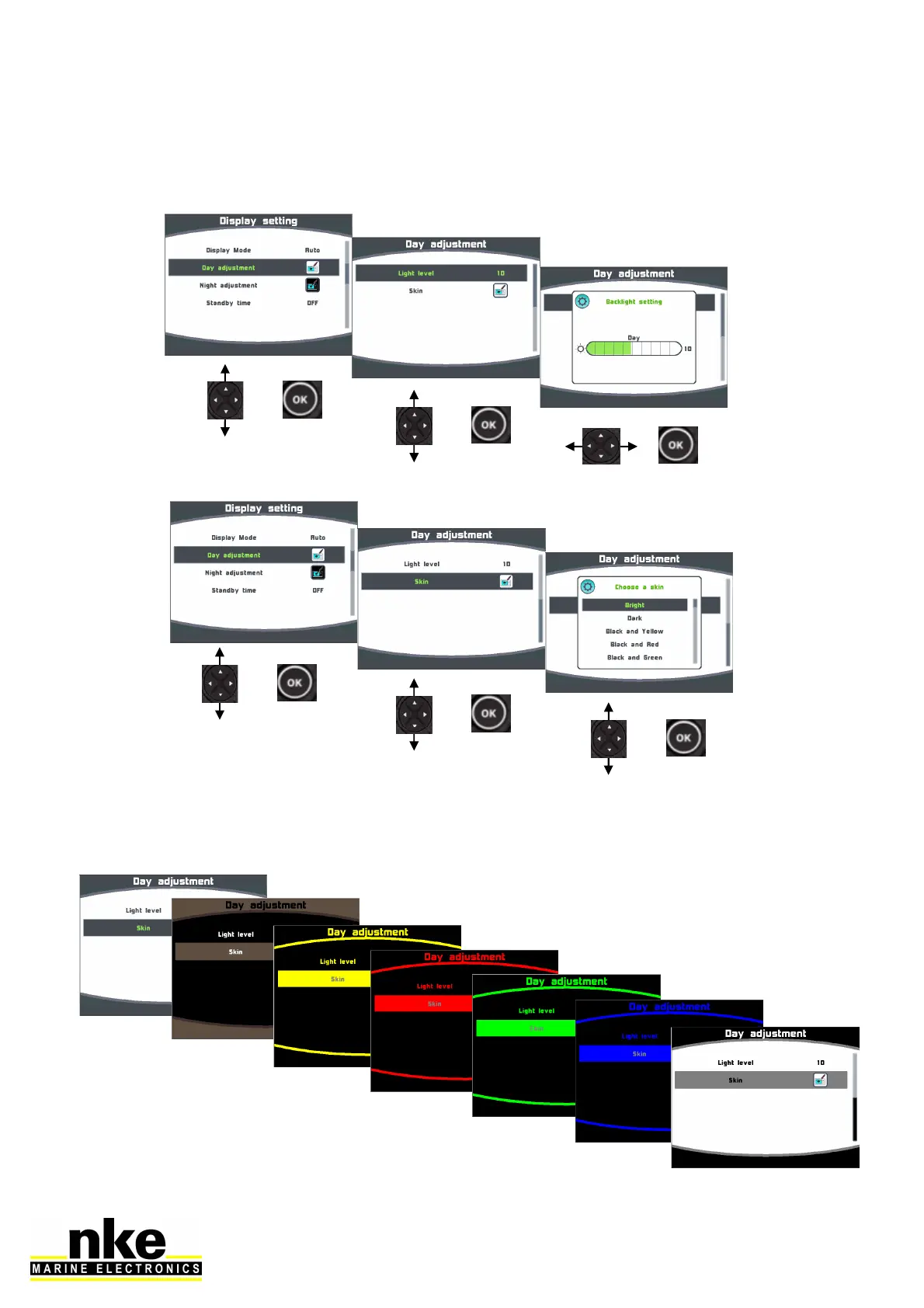
Setting procedures are identical for Day mode and Night mode.
Backlight intensity setting:
Skin settings
You can choose between 8 Skins for Day and Night modes. The default Skins are
white for Day and black/red for night. The new eight skin is Black/white.
Some skins are more appropriate than others, depending of the reading angle.


 To Next Page