35 50_Afficheur_Multigraphic_um_UK_27
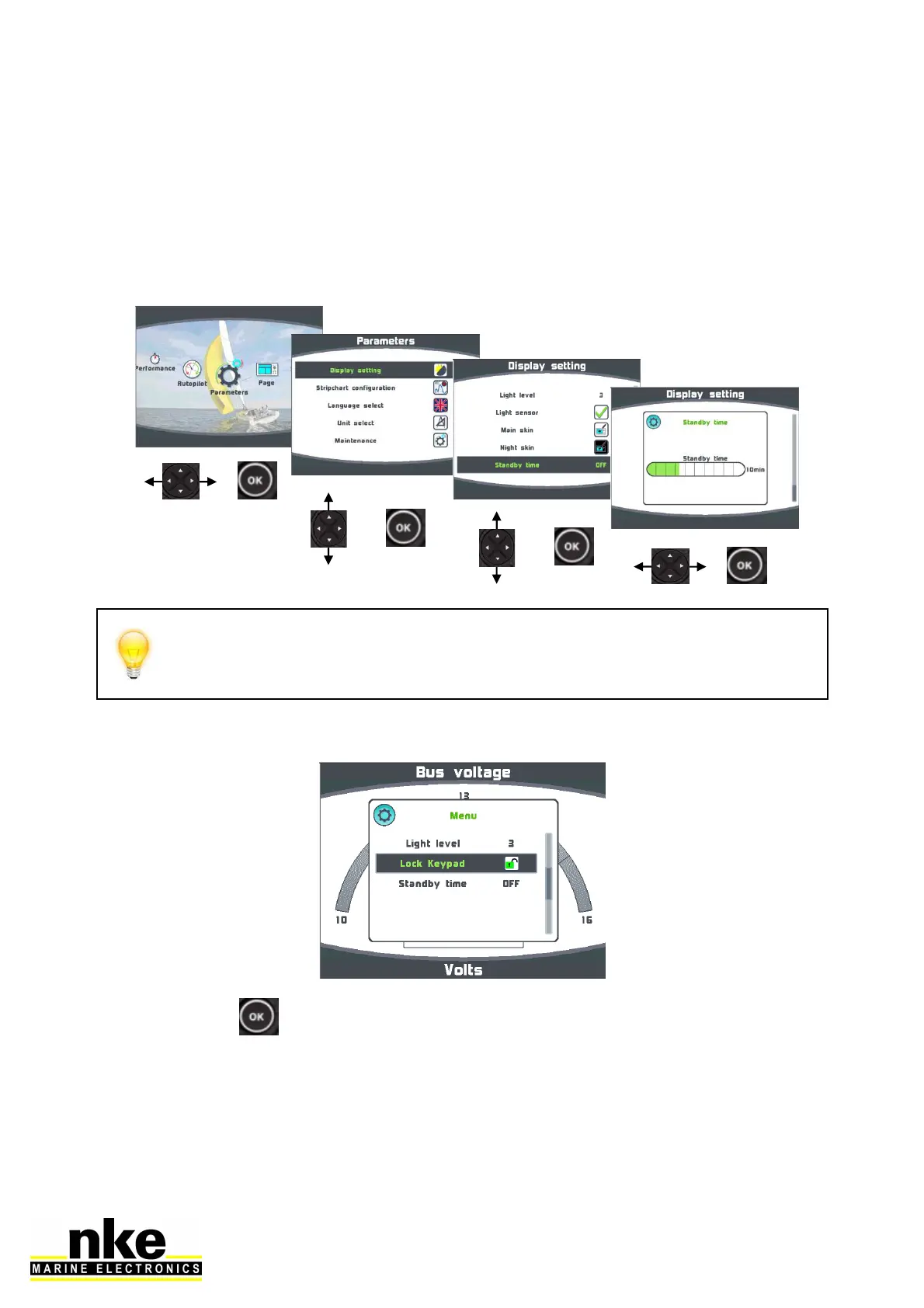
2.7.1.3 Display’s Standby timing
A time can be set up to 30 minutes. When the selected time is reached the display
will be put in a “sleep mode” for power saving. The Multigraphic will keep working
and the screen can be resumed with the simple press of any key or selecting the
display on a remote control.
Setting the Display’s Standby timing
Press and hold the “OK” key for 3 seconds to enter the Display Standby
setting menu. This can be done from any page.
2.7.1.4 Locking the keypad
Press and hold to enter the setting.
Once Lock Keypad is activated all keys are inactive and a press on a key pops up an
invite to unlock the keypad.


 To Next Page