69 50_Afficheur_Multigraphic_um_UK_27
• Starting the race timer with remote
The timer data must be selected before starting the race timer. For load race timer
press « OK » 3 seconds. For start short press on « OK ». At any time during
countdown press on « OK » for synchronize the timer to « T2 ».
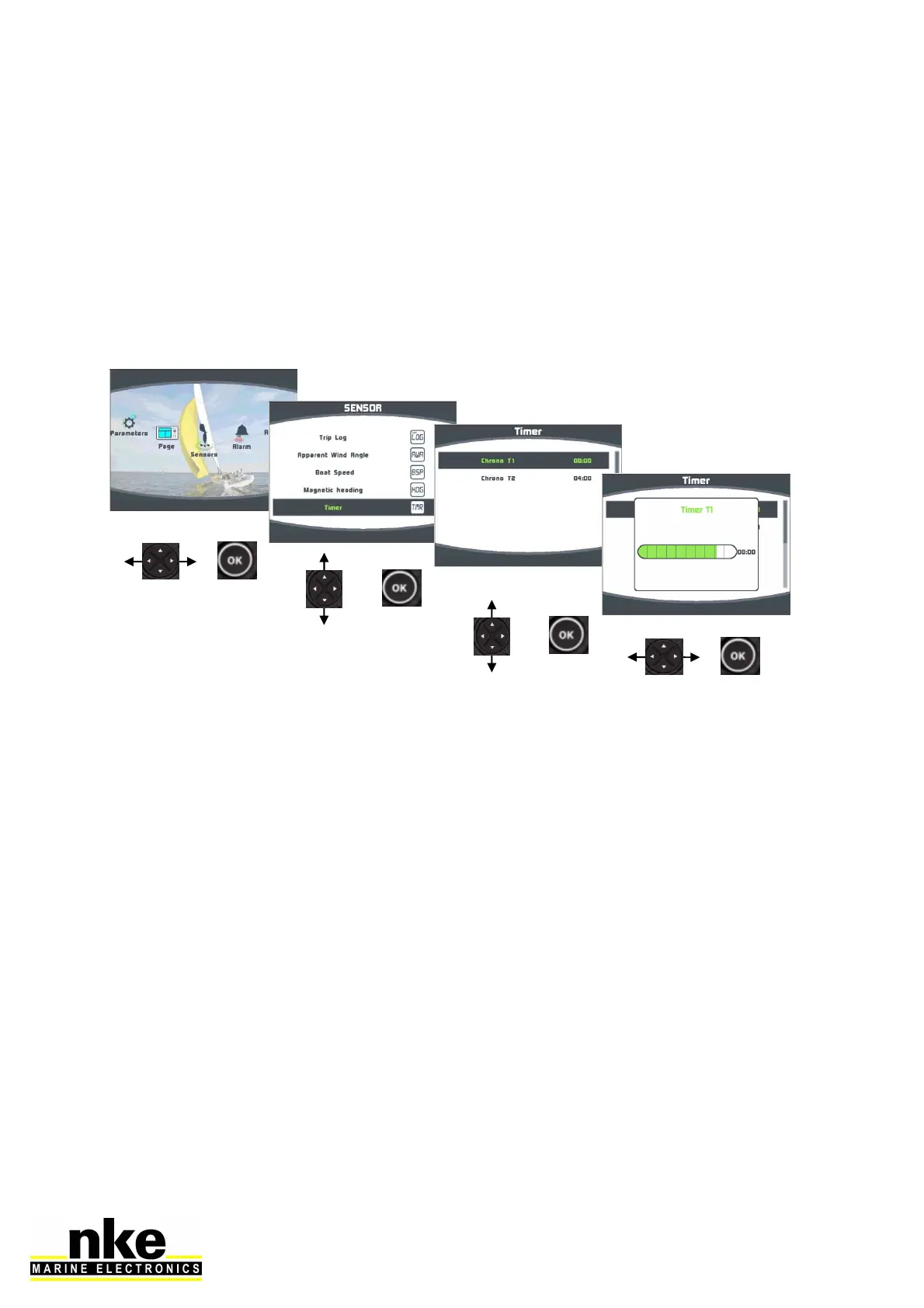
2.13.2 Setting the race timer
The default settings are 8 minutes for « T1 » and 4 minutes for « T2 ». Here is the
procedure to set the timers to your own values:


 To Next Page