47 50_Afficheur_Multigraphic_um_UK_27
2.8 Sensor settings
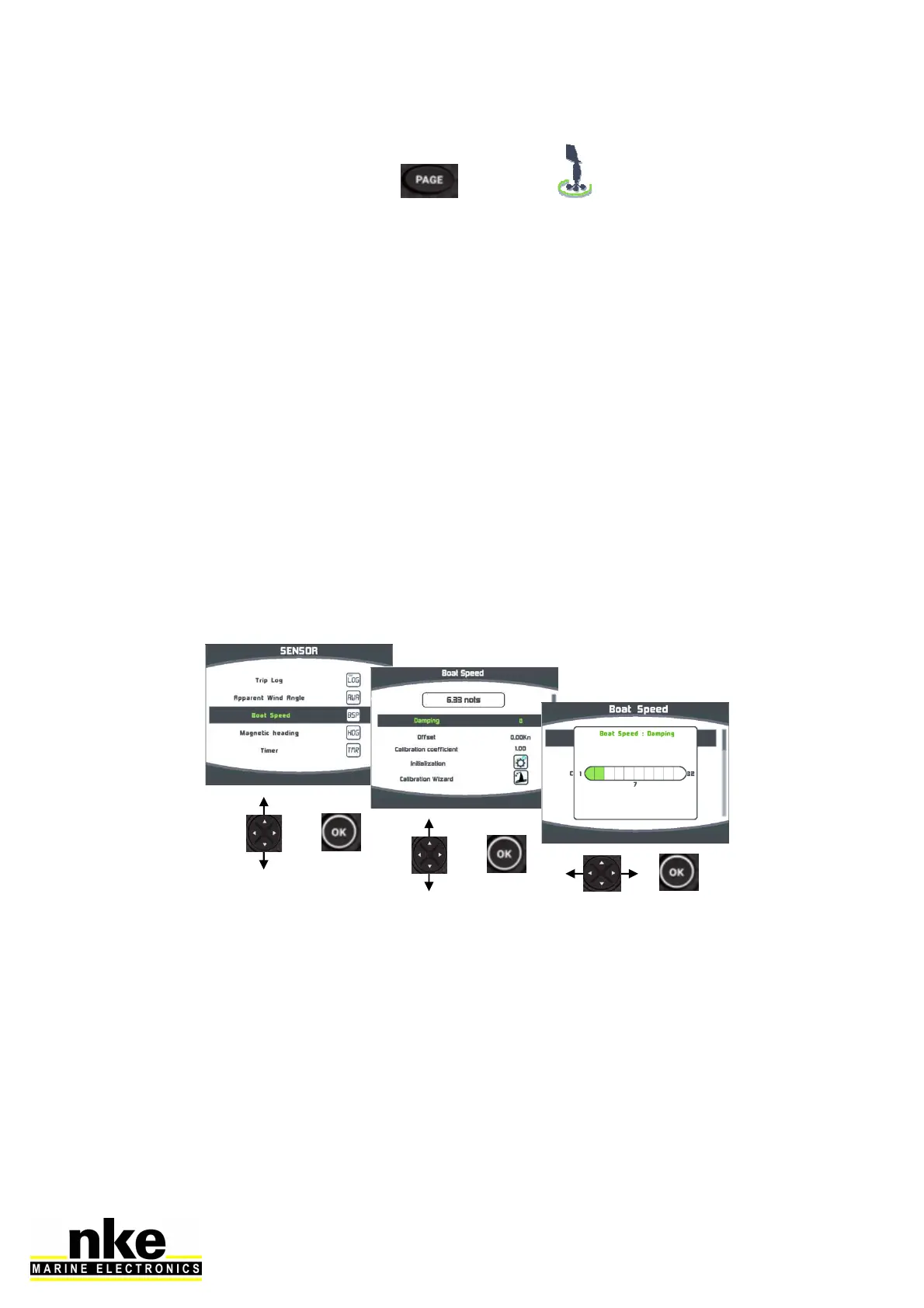
Go to the main menu by pressing and select to display the « sensors »
page.
All sensors connected to the Topline bus can be calibrated from this menu. Settings
are different for each sensor. Refer to the sensor’s manual for more information.
Main settings:
Filter: the filter takes the data average value to set a data refresh rate. The filter set
for apparent wind speed, boat speed and heading (Regatta compass) affects the
autopilot’s “True Wind” mode.
Offset: applies a correction to data for some sensors.
Coefficient: applies a correction factor for calibration.
Reset: back to default settings of the selected sensor.
In this example we are setting the damping value for a boat speed sensor:


 To Next Page