Leaf User Manual
P/N: 97-4000, Revision 08, Release date: 2020-11-10 Page 24 of 85
Voice Control Settings
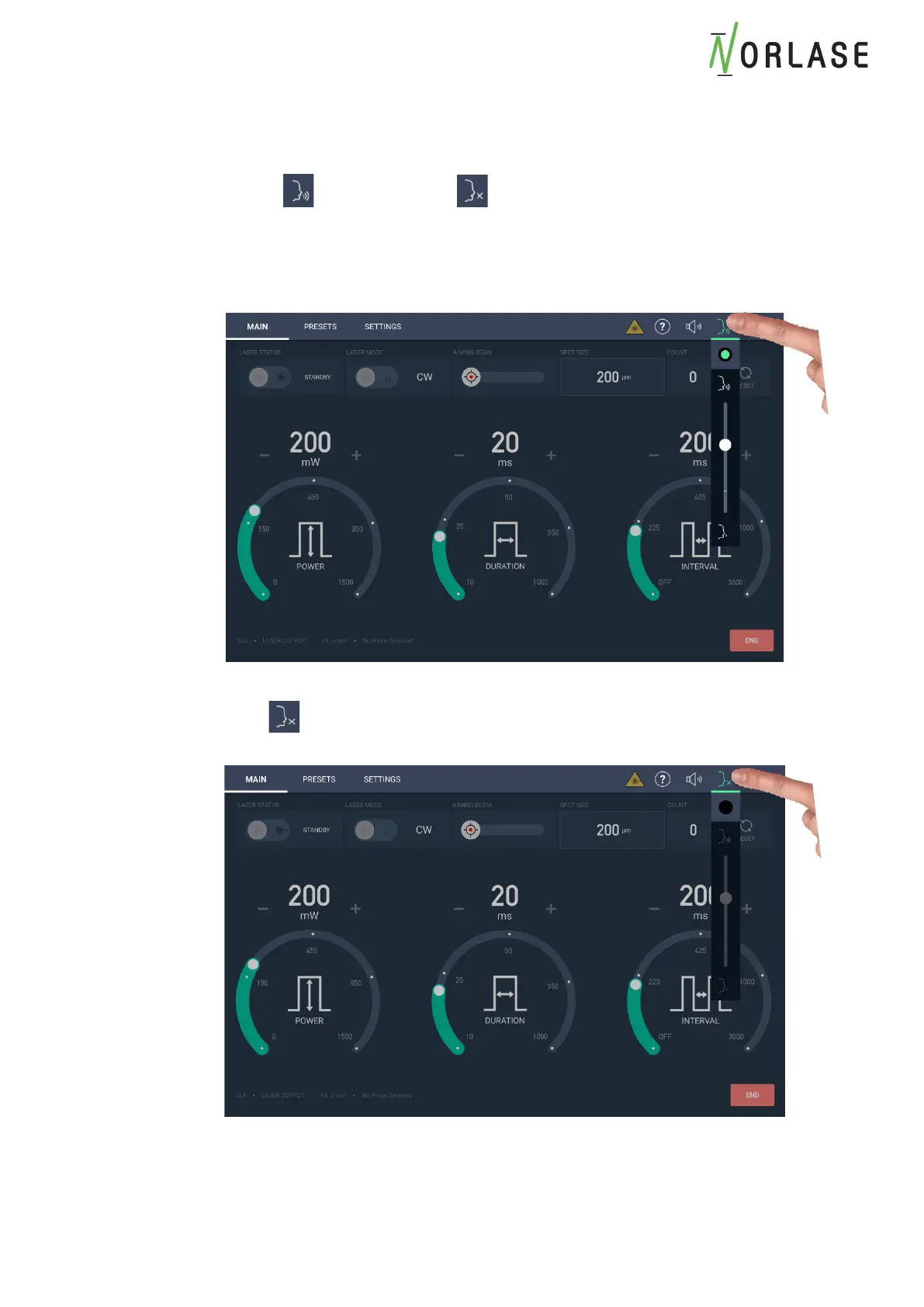
Voice Control can be enabled/disabled from the touch screen user interface. The Voice Control
icon will display when active or when inactive or unavailable
1. Touch the Voice control Icon to display the Enable/Disable button and volume control of
the audible response. The green circle indicates voice control is activated. The volume
of the audible response can be adjusted using the slider control.
2. If selecting the voice control does not highlight the green circle and the icon
displays , voice control is not available on this system. Call Norlase or an
authorized Distributor to purchase this feature.



 To Next Page