Leaf User Manual
P/N: 97-4000, Revision 08, Release date: 2020-11-10 Page 30 of 85
Presets Menu
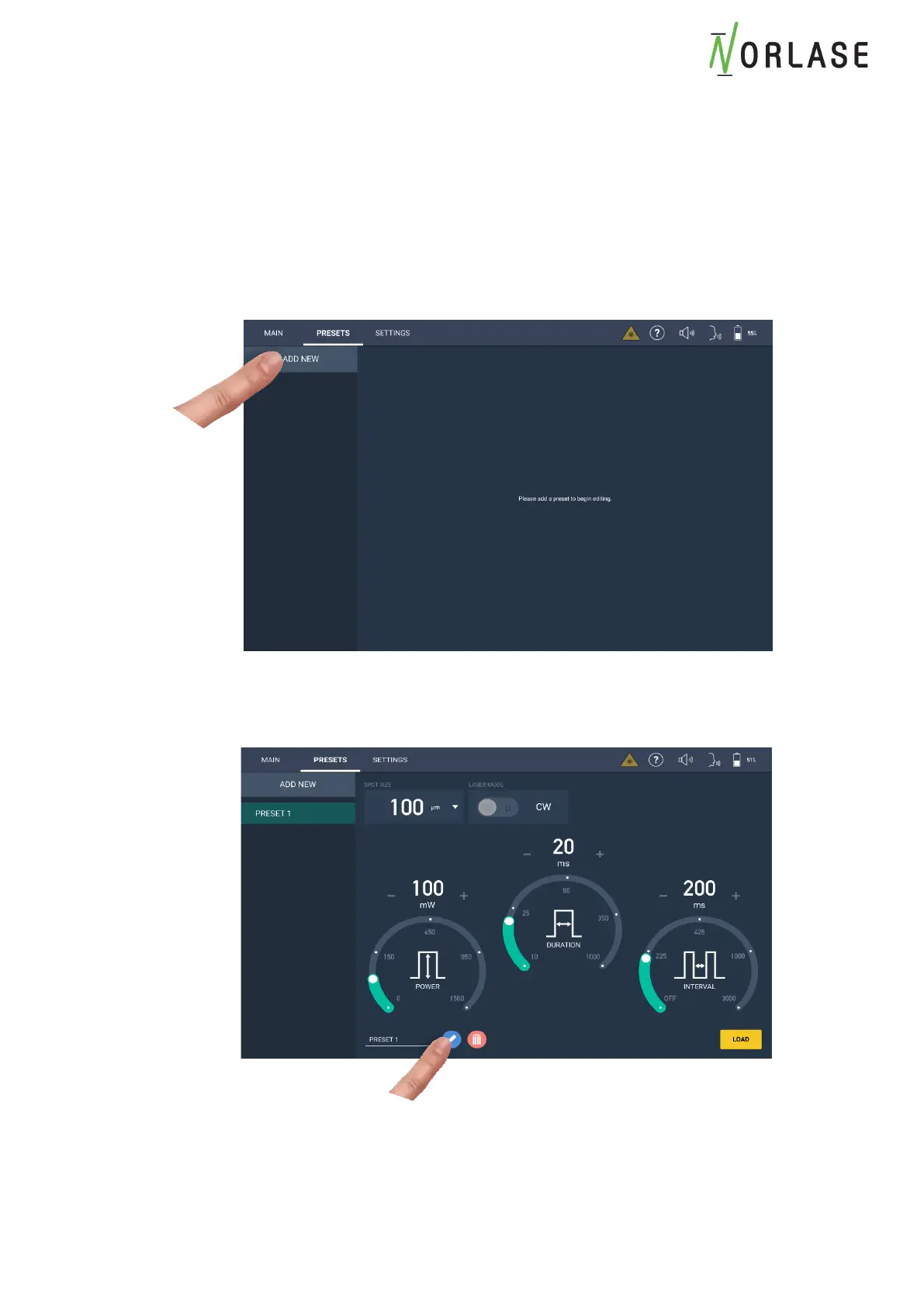
The “Presets” menu allows the saving and recall of commonly used parameters. These
“Presets” are commonly named after the condition being treated or the physicians name and
preference. The “Presets” will save the Power, Duration, Interval, Spot Size and Mode of
operation.
To create a new “Preset”:
1. Select the “Presets” Tab at the top of the screen and press “ADD NEW”.
2. Set the parameters to the desired level. When done press the “pencil” icon to enter the
Preset name.



 To Next Page