Leaf User Manual
P/N: 97-4000, Revision 08, Release date: 2020-11-10 Page 29 of 85
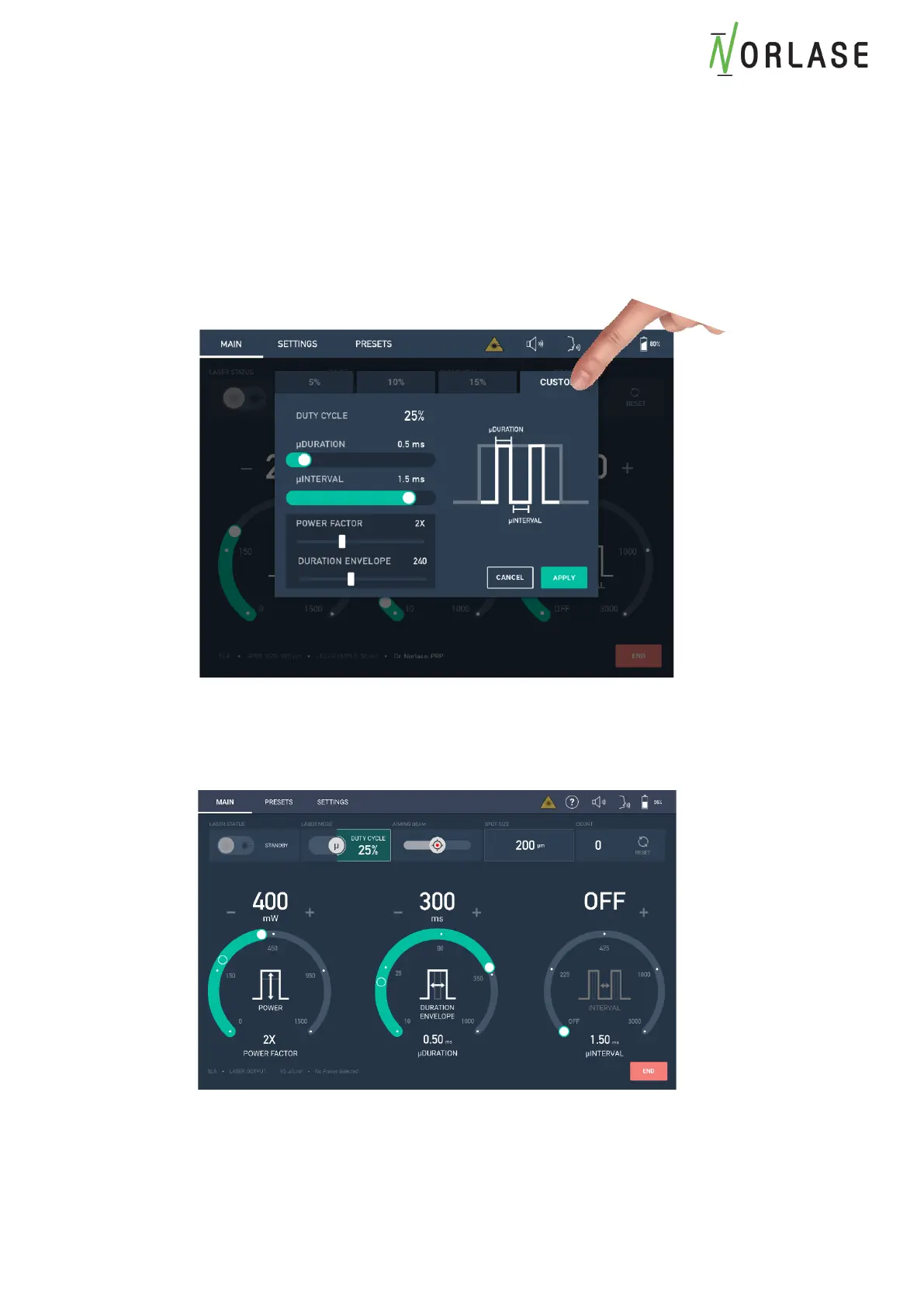
Setting a Custom µSec Duty Cycle
If a Duty Cycle other than the default 5%, 10% and 15% is needed:
1. While in normal CW mode, titrate to the recommended clinical level of the desired
protocol to set the baseline power for the patient.
2. Enter the µSec Mode using the toggle to initiate the µSec menu popup.
3. Select the “Custom” tab
4. Adjust the µDuration and µInterval levels to set the desired Duty Cycle. Please note that
the “Period” will always be 2.0ms offering 2.5% increments up to 50% Duty Cycle.
5. Adjust the Power Factor and Duration Envelope to desired levels and press “Apply”.
6. Begin treatment in the desired area.
7. Press “END” when treatment is complete.



 To Next Page